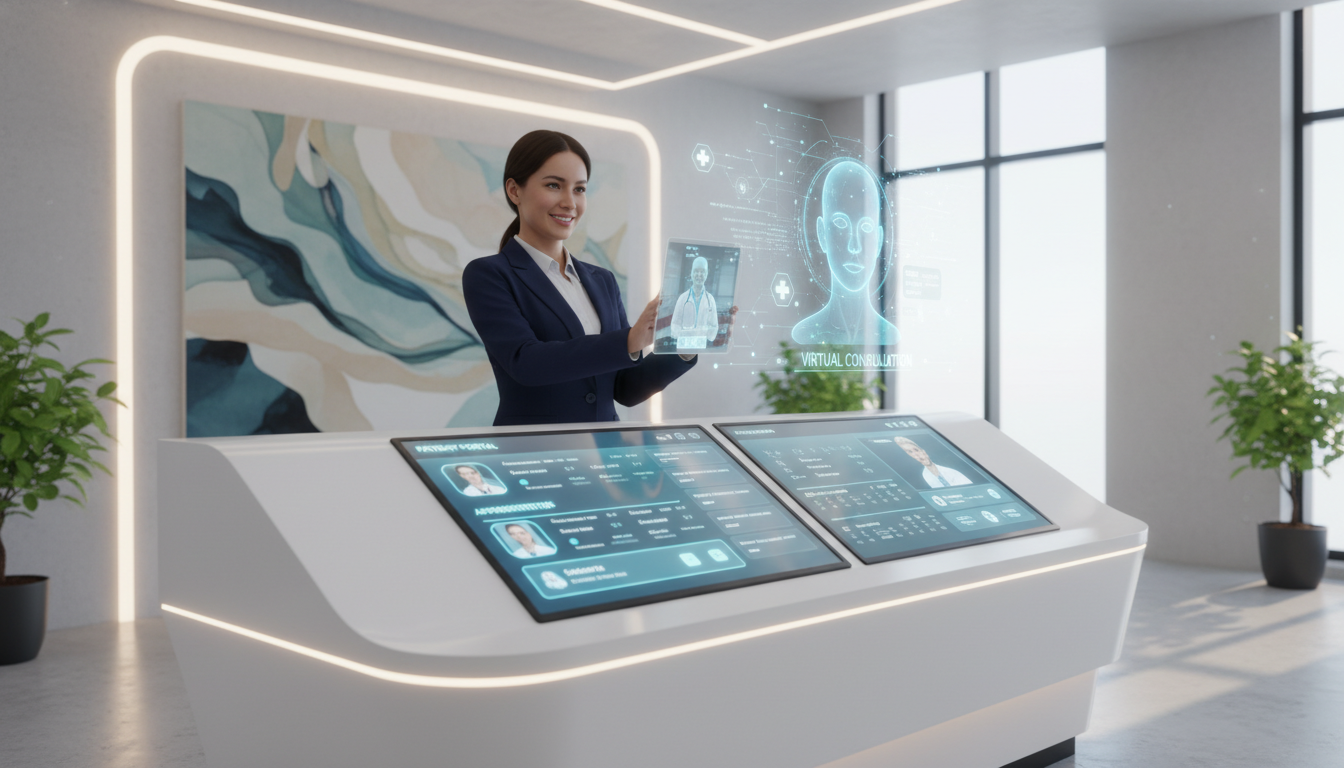
Did you know that healthcare practices lose an average of $150,000 annually because of bad reception work? This huge loss is because of missed appointments, slow work, and staff who can’t handle all the calls.
The old way of running a medical office is changing fast. New remote care options are replacing old phone systems and crowded waiting rooms with easy-to-use digital tools.
Your practice can now use new tools for scheduling, checking insurance, and sending reminders. These tools help when there’s not enough staff in medical offices.
This change is not just about making things easier. It’s about completely changing how your medical office talks to patients from the start to aftercare.
Going digital at the front desk means better work, saving money, and happier patients. Knowing about this change helps your practice succeed in a tough healthcare world.
Key Takeaways
- Remote reception solutions can save healthcare practices up to $150,000 annually through improved operational efficiency
- Digital patient contact systems reduce wait times and eliminate common administrative bottlenecks
- Online scheduling platforms address critical healthcare staffing shortages without compromising service quality
- Patient satisfaction increases significantly when medical offices adopt streamlined digital communication tools
- The shift to remote administrative support represents a permanent evolution, not just a trend
- Healthcare providers gain competitive advantages through early adoption of digital reception technologies
The Rise of Telehealth Front Desk Services
Healthcare facilities across the nation are finding new ways to manage patient interactions online. The front desk, once the main entry point, is now changing with technology. Your practice can now reach more patients through remote services that keep the personal touch.
The pandemic sped up this change, but its benefits are lasting. You’re no longer tied to one place or hours. This change is more than just new tech—it’s a new way of connecting with patients.
The Evolution of Digital Healthcare Administration
Telehealth started with simple phone calls between doctors and patients in remote areas. Now, it’s a full system for managing care online. Your front desk staff can handle scheduling, insurance, and more through digital channels.
The tech behind these systems has grown a lot. You can use platforms that work with your current records and tools. Modern systems offer video chats, reminders, digital signatures, and secure messages all in a safe way.
Your staff can work from anywhere and access everything they need. This doesn’t make things less secure or efficient. In fact, many see better data accuracy because of less manual work and more automation.
“Telehealth has moved from a nice-to-have option to an essential part of healthcare. The work that supports these services is just as important as the care itself.”
Measurable Advantages for Your Practice
Remote patient services bring clear benefits to your practice. One big advantage is saving money on space, utilities, and staff. Many see a 20-30% drop in admin costs in the first year.
These services make your practice more flexible. You can offer more hours without staff working late. This helps working patients who can’t call during regular hours.
Keeping operations open during emergencies is a big plus. Weather, health crises, or facility issues no longer mean closing. Your team can keep working remotely, keeping care available when needed most.
With these systems, you can reach patients anywhere. You can work with patients across time zones and languages more easily. This lets you build a more diverse and skilled team.
| Operational Aspect | Traditional Front Desk | Virtual Front Desk | Key Advantage |
|---|---|---|---|
| Operating Hours | 8-10 hours daily | 12-24 hours daily | Extended patient access |
| Staff Location | On-site required | Remote capable | Wider talent pool |
| Emergency Continuity | Limited or closed | Fully operational | Uninterrupted service |
| Overhead Costs | High facility expenses | Reduced infrastructure | 20-30% cost savings |
| Language Support | Limited by local staff | Multilingual options | Diverse patient reach |
Keeping patients happy is easier with these services. Studies show a 15-25% boost in patient retention. Patients like the ease of handling tasks on their own time.
Your patient satisfaction scores will likely go up too. Patients say they get better service, wait less, and communicate better. These improvements lead to more positive reviews and word-of-mouth growth.
The numbers are clear: virtual front desk services improve efficiency by 30-40%. Your team can handle more tasks because automated systems do routine work. This lets your team focus on what really matters.
Key Features of Telehealth Front Desks
Telehealth front desk systems have key features that make them stand out. They offer strong admin tools for handling everything from first contact to billing. These tools work together for a smooth experience for staff and patients.
Knowing what features are important helps pick the right virtual care administration for your practice. Important parts include scheduling, check-in, and financial checks. Each part is key to keeping things running smoothly and cutting down on work.
Advanced Appointment Scheduling Systems
Your scheduling system is the first step in your telehealth work. Modern systems let patients book online, through apps, or with virtual assistants. This makes it easy for patients to manage their health schedule and cuts down on phone calls.
These systems can handle complex scheduling tasks that old methods can’t. You can set when providers are available, manage different types of appointments, and add buffer times. The system stops double bookings and sends confirmations to patients.
Staff can see the schedule in real-time through dashboards. They can change appointments, handle urgent needs, and make last-minute changes. Automated reminders help cut down on no-shows, boosting your practice’s work and earnings.
Streamlined Patient Check-In Workflows
The telehealth check-in process gets rid of waiting room and paperwork delays. Patients fill out forms, update their health info, and share insurance details from home. This lets providers focus on care during appointments.
Digital forms are more accurate than paper ones. The system checks the info right away, pointing out any mistakes. Patients sign online, making legal documents without printing.
There’s also a security check for telehealth check-in. The system asks for ID, checks addresses, and uses multi-factor authentication. This keeps your practice safe and follows HIPAA rules.
Staff gets forms right after patients submit them. They can check the info before appointments, talk to patients about any issues, and make sure everything is ready. This helps avoid delays and makes patients happier.
Automated Billing and Insurance Verification
Your virtual care administration system makes billing better with automation. It checks insurance in real-time. You get quick info on coverage, copays, and if you need approval before services.
This makes billing faster and less likely to be denied. Your team doesn’t spend hours on phone calls or paperwork. The system spots problems early, so you can talk to patients before their visits.
- Real-time eligibility verification across multiple insurance carriers
- Automated copayment calculation and collection processing
- Integration with electronic health records for seamless documentation
- Denial prevention alerts based on coverage limitations
- Patient payment portal for convenient billing inquiries
Better billing means faster money coming in. The system sends clean claims and tracks payments. This helps you make smart business choices.
The system also keeps you in line with rules. It updates codes, keeps records, and makes reports for checks. These steps protect your practice and help your finances.
Improving Patient Experience With Virtual Services
Using remote front desk tech improves patient care a lot. It changes how patients get care, talk to staff, and feel safe with their health info. These changes make care better overall.
Remote services fix old problems with front desks. Now, patients can see doctors when it’s best for them, not just when the office is open.
Streamlined Communication
Modern virtual front desks let patients connect in many ways. They can pick how they want to talk to your practice. This makes it easier to avoid phone tag.
Your practice can offer:
- Secure messaging for non-urgent questions
- Video calls for face-to-face talks
- Text message reminders and confirmations
- Email for test results and follow-up
- Patient portal for medical records
Automated reminders cut down no-shows. Patients get reminders in their preferred way. They can easily confirm, reschedule, or cancel appointments.
Two-way messaging changes how patients talk to you. They can ask quick questions and get answers without waiting. It’s great for things like prescription refills and billing questions.
The virtual check-in starts before patients arrive. They can fill out forms and update info from home. This makes their visit more focused on care.
Increased Accessibility
Virtual services make healthcare easier to get. No more travel issues for care. Rural patients benefit a lot from telehealth.
Patients with mobility issues find virtual services helpful. They can get care without the hassle of traveling. This includes those with wheelchairs or chronic pain.
Virtual services are open longer. You can offer early morning or evening slots. This helps working parents and others with busy schedules.
Elderly patients like virtual services in bad weather. They don’t have to choose between safety and healthcare.
Patients with chronic conditions get more check-ins. These regular visits help you keep an eye on their health without long trips.
Enhanced Privacy and Security
Telehealth systems use strong security to protect patient info. All data is encrypted during virtual visits. This keeps health info safe.
HIPAA-compliant platforms meet all privacy rules. These include:
- Multi-factor authentication for access
- End-to-end encryption for video calls
- Secure cloud storage for documents
- Automatic session timeouts
- Audit trails for patient info access
Virtual rooms offer more privacy than waiting rooms. Patients can talk about sensitive topics from home. This makes them more open about their health.
Secure document handling keeps patient info safe. When patients upload documents, they get the same protection as in your office.
Showing how you protect data builds trust. Patients are more likely to use virtual services when they know their info is safe.
Integrating Telehealth with Traditional Practices
Your practice can get better results by mixing virtual care administration with old ways. This mix makes a system that fits different patient needs well. It keeps things running smoothly.
Starting this change can be hard. You don’t have to change everything at once. A slow, step-by-step approach helps your team adjust while keeping care quality high.
Changing how you work needs careful planning. Knowing about different ways to mix old and new helps you pick the best one for you. Patients get more access without losing the personal touch they like.

Hybrid Models Explained
Hybrid models mix the best of old and new ways of working. They let you change how your front desk works. The right mix depends on your patients, staff, and what you do.
The fully remote front desk model keeps all admin tasks online while keeping clinical work in-person. Your team handles scheduling and insurance from home. This works well for busy practices with lots of routine tasks.
Partially virtual systems split tasks between in-person and online staff. Some work from the office, others from home. This model offers backup and keeps a face-to-face option for patients.
Flexible models adjust staff based on need. More remote staff help during busy times. Fewer staff handle tasks during slow times. This way, you use resources well and save money.
| Model Type | Best For | Staff Configuration | Primary Advantage |
|---|---|---|---|
| Fully Remote Front Desk | High-volume practices with routine procedures | 100% virtual administrative team | Maximum operational flexibility and reduced overhead costs |
| Partially Virtual System | Medium-sized practices with mixed patient preferences | Combination of on-site and remote staff | Balances personal interaction with digital efficiency |
| Flexible Adaptive Model | Practices with fluctuating patient volumes | Dynamic staffing that scales with demand | Optimizes resource allocation and maintains service quality |
| Clinical-Focused Hybrid | Specialty practices requiring complex coordination | Virtual admin with dedicated on-site coordinators | Frees clinical staff for patient care activities |
Many practices use telehealth for routine tasks but keep some tasks for in-person. Your team can check insurance online but have someone there for patients who need help. This way, everyone gets the care they need.
Challenges of Integration
Getting staff on board is a big challenge. They might worry about their jobs or feel uneasy with new tech. These worries are real and need careful handling from leaders.
Technology problems can slow down the change. Your current system might not work well with new telehealth tools. This can cause problems with data and upset both staff and patients.
The biggest challenge in using new healthcare tech is keeping the personal touch that makes care special.
Keeping a personal touch can be hard with virtual care. Some patients miss seeing familiar faces at the desk. This emotional part of care can’t be ignored when planning changes.
Managing work in both physical and virtual spaces is complex. Your team needs to keep track of who prefers online or in-person visits. They must handle schedules, wait times, and smooth handoffs with new rules and clear talks.
Security and privacy are big concerns with online admin tasks. You must make sure virtual care meets the same strict privacy rules as in-person care. Training staff on safe online talks is key.
Solutions for a Smooth Transition
Start small to avoid big disruptions. Begin with one or two tasks online before going full virtual. This slow start builds trust and finds problems early.
Start with online scheduling and keep in-person visits. Once that works, add online insurance checks. Then, move to full digital front desk services. Each step should have time to check if it’s working well.
Get your staff involved in planning to get them on board. They know the daily challenges best. Asking for their ideas on how to work and what tech to use helps. It also finds problems you might miss.
Here are key tips for a smooth change:
- Make detailed training that covers tech skills and talking to patients online
- Set clear rules for when to move issues from online to in-person
- Have backup plans for tech failures, like manual ways to keep things running
- Make patient guides for new ways to access care and how to use them
- Have regular team talks to share worries and successes
Talk to patients early about new services. Use many ways to share the news, like email, texts, and signs. Focus on how these changes help them with better access and ease.
Have plans ready for common tech problems. What if the internet goes out during busy times? How will you handle system crashes? Having plans in place keeps everyone calm and keeps patient trust.
Real examples show that blending old and new takes time. A Texas practice took six months to switch to a hybrid model. They started with reminders, then online scheduling, and then moved staff online. They saw a 23% jump in patient happiness and cut costs by 18%.
An Oregon practice faced resistance but won over staff with openness and support. They offered extra training, created mentor programs, and celebrated small wins. After a year, staff who were hesitant at first became strong supporters.
Your success depends on seeing this as an ongoing effort, not a one-time thing. Regular checks on what works and what doesn’t keep your mix effective as things change.
Technology Behind Virtual Front Desks
Choosing the right tech is key to a smooth virtual front desk. The software and security systems you pick affect everything from scheduling to billing. Knowing these tech parts helps you create a system that works well and follows rules.
The tech you choose affects how well your staff works and how happy your patients are. The right tech makes things run smoothly, but the wrong one causes problems. This part talks about the main tech parts that make virtual front desks work well.
Platform Solutions for Digital Healthcare
There are many software types to think about for your remote patient services setup. Comprehensive EHR systems with integrated telehealth modules keep all patient info in one place. This means you don’t have to switch between systems when talking to patients.
Telehealth platforms focus on virtual visits. They work with your EHR systems through APIs or data exchange. They’re great for video calls and managing visits but need to be set up right.
Practice management software is made for virtual front desks. It has features like virtual waiting rooms and automated patient messages. You can choose all-in-one solutions or pick the best parts for your needs.
When looking at platforms, focus on these critical capabilities:
- High-definition video conferencing with screen sharing and recording options
- Intelligent appointment scheduling that syncs across all devices and calendars
- Comprehensive patient portal functionality for document sharing and communication
- Seamless billing integration that captures charges from virtual visits automatically
- Robust reporting dashboards that track utilization, revenue, and patient outcomes
The platform should grow with your practice. Cloud-based solutions are flexible and always updated. Think about the total cost, including fees, training, and support.
Designing for Intuitive User Experience
Easy-to-use interfaces are important. Complicated systems can be a barrier to adoption. Your staff should be able to use the system quickly, even during busy times.
Patients expect simplicity. If your portal is hard to use, you might lose patients. Seniors and those not tech-savvy need clear, simple interfaces.
Test software usability before you decide. Try it out with real tasks like checking in patients. Real-world testing reveals usability issues that demos might miss.
Get feedback from your staff during trials. They use the system a lot and can spot problems. Their input is key when comparing different platforms.
Test the patient side too. Use volunteers of different ages and tech skills to try out your portal. See where they get stuck to fix design problems before it’s too late.
| Usability Factor | Staff Impact | Patient Impact | Evaluation Method |
|---|---|---|---|
| Navigation Clarity | Reduced training time and fewer workflow errors | Higher portal adoption and self-service rates | Task completion timing and error tracking |
| Visual Design | Less eye strain during extended use periods | Increased confidence in using digital tools | User preference surveys and A/B testing |
| Mobile Responsiveness | Flexibility for staff working from various locations | Convenient access from smartphones and tablets | Cross-device functionality testing |
| Help Resources | Quick problem resolution without IT support | Independent troubleshooting capabilities | Support ticket volume analysis |
Protecting Information in Digital Environments
Data security keeps your practice safe and builds patient trust. End-to-end encryption keeps patient info safe during transmission. This stops hackers from getting to sensitive health data.
Secure cloud storage keeps data safe from loss. Your telehealth platform should have servers in different places for extra safety. Automatic backups prevent data loss due to mistakes.
Access controls limit who can see or change patient records. Role-based permissions let staff see only what they need. Audit trails track who accesses data, keeping things safe and following rules.
Your tech must follow data retention rules. It should remind you when to review or delete old records. Secure deletion meets legal standards.
Have a plan for when security issues happen. Your software should alert you quickly if there’s a problem. Rapid response capabilities help you meet strict notification rules.
Regular security checks are important. Third-party reviews help you see if your tech is strong against threats. These reviews find problems before they become big issues.
Training Staff for Telehealth Services
Teaching your staff about telehealth is key to great virtual care. They need to know how to use digital tools and talk to patients well. Your front desk team is very important in this new way of healthcare.
Starting virtual care administration means you can’t just use old training methods. Your team needs special lessons for working with patients online. This helps your practice give better care and keep patients happy.
Essential Skills for Front Desk Personnel
Your team needs special skills for virtual care. They must know more than just how to use a computer. They need to know how to help patients in new ways.
Technical skills are very important. Your staff must use many tools at once. They need to fix problems, help patients use the system, and manage appointments well.
They also need to be good at talking and writing online. Without seeing each other, they must be clear and friendly. They must choose their words carefully and respond quickly.
They should be able to solve problems fast. If patients have trouble, they need to figure out why. This helps keep patients happy and appointments on track.
Here are some key skills your team needs:
- They must do many things at once, like chat, email, and phone calls.
- They need to manage their time well for virtual appointments.
- They must be sensitive to different cultures when talking to patients online.
- They must enter data correctly in many systems.
- They need to know how to use video conferencing well.
They should also know about revenue cycle management and how it works with telehealth. This helps them check insurance and handle billing.
Ongoing Education and Support
Training doesn’t stop after you start using telehealth. Your team needs to keep learning about new tech and what patients want. This keeps your service good and your team happy.
Have regular sessions to learn about new software. Do these every few months or when big changes happen. This makes your team feel ready to use all the tools.
Make learning plans for your team:
- Have monthly workshops on new telehealth skills.
- Use peer mentoring to help new team members.
- Offer courses on keeping patient info safe online.
- Let them learn new things by doing different jobs.
- Help them get certified in healthcare tech.
Make a place where your team feels safe to ask questions and share problems. Encourage them to share solutions and make a knowledge base. This helps everyone work better together.
Give them access to webinars, conferences, and online courses. This lets them learn from others in healthcare. Investing in their education makes your patients happier and your practice more efficient.
Make sure your team can tell you what they think and suggest changes. Their daily work gives you great ideas for improving. This shows you value their opinions and want them to grow.
Addressing Legal and Compliance Issues
Your virtual front desk must follow strict laws to protect patient privacy. These laws help deliver care efficiently. Knowing these rules keeps your practice safe and builds trust with patients.
Every part of your telehealth check-in process is watched closely. From when patients log in to how their health info is stored, you must follow rules. If you don’t, you could face big fines and harm your reputation.
Navigating Federal Privacy Laws
The Health Insurance Portability and Accountability Act sets the rules for keeping patient info safe. These rules apply to your virtual front desk, whether care is given in person or online. HIPAA rules are a must for any healthcare service.
Your tech vendors must sign business associate agreements to handle patient data. These contracts make sure vendors protect health info as required by HIPAA. Without these agreements, your practice is fully responsible for any security issues.
Secure transmission protocols are key to protecting health info in your systems. This means using encryption for data at rest and in transit. All patient info, like medical history and insurance details, needs this protection during the telehealth check-in process.
Patients have rights to their electronic health info that your virtual front desk must respect. They can ask for copies of their records, correct mistakes, and get an accounting of who has seen their info. Your systems need clear steps for handling these requests quickly and fully.
The HIPAA Security Rule requires three types of safeguards for electronic health info. Administrative safeguards include security policies and training. Physical safeguards cover access controls and workstation security. Technical safeguards include access controls and how data is sent.
Your virtual front desk must have breach notification procedures for security issues. If patient info is accessed without permission, you must notify affected individuals and the Department of Health and Human Services. Keeping records of your security efforts and how you handle breaches is important.
- Maintain detailed audit logs of all system access and data modifications
- Conduct regular risk assessments of your telehealth platforms
- Establish clear policies for password management and user authentication
- Train staff on recognizing and reporting possible security threats
- Document all security incidents and your response actions
State-Level Healthcare Regulations
State laws add more complexity to healthcare rules, beyond what HIPAA requires. The rules vary by state, affecting your practice and patients. This makes it harder for practices in multiple states to follow all the rules.
Licensure requirements dictate who can do certain tasks in different states. Some states require specific licenses for certain tasks. Knowing these rules helps avoid unauthorized practice issues.
Consent rules for telehealth check-in services also vary by state. Some states need written consent, while others accept verbal agreement. Your intake forms must meet the strictest requirements for all states where you serve patients.
Some states have specific technologies or security measures that go beyond federal rules. These might include certain encryption standards or where patient data can be stored. You must research these rules for every state where your practice operates or treats patients.
Reimbursement rules also vary by state, affecting your virtual front desk procedures. Medicaid and private insurers have different policies for telehealth services. Your billing processes must account for these differences during patient check-in.
| Compliance Area | Federal Requirements | State-Level Variations | Implementation Priority |
|---|---|---|---|
| Patient Consent | General HIPAA authorization | Specific telehealth consent forms, verbal vs. written requirements | High – Required before service delivery |
| Data Security | HIPAA Security Rule safeguards | Enhanced encryption standards, in-state data storage mandates | Critical – Ongoing monitoring needed |
| Staff Licensure | Professional credential validation | Interstate practice limitations, scope restrictions for virtual tasks | High – Affects service delivery capabilities |
| Documentation | Medical record retention standards | State-specific retention periods, additional reporting requirements | Medium – Impacts long-term compliance |
Getting legal advice from a healthcare expert in your state is key to staying compliant. Healthcare lawyers know the rules and can spot risks early. Their advice is very helpful when you start new services or use new technologies.
Keeping up with rule changes is important. Subscribe to updates from state medical boards and health departments. Many groups send out newsletters on telehealth rules. Regular legal checks of your virtual front desk help find and fix any compliance issues early.
Your compliance plan should include detailed records of all policies and procedures for virtual operations. These documents show you follow the rules and guide staff on daily telehealth check-in tasks. This reduces the chance of unintentional rule breaks.
Measuring Success in Telehealth Services
Investing in virtual front desk tech needs careful checking to see if it works as expected. Without tracking and checking, you can’t know if remote services are helping your practice. A detailed plan for measuring success helps find what’s working and what needs bettering.
Evaluating your telehealth efforts means more than just watching. You need to collect data, look at trends, and make smart choices about your strategy.
Key Performance Indicators (KPIs)
Tracking specific numbers shows how well your virtual front desk is doing. These figures show if your remote services are better than old ways.
Appointment scheduling efficiency shows how fast patients get an appointment after asking. First, track how long this takes now. Then, see if it gets faster with virtual services.
How long patients wait in virtual lines affects their happiness. Track this wait time and compare it to waiting in person. This shows if your virtual system is quicker.

Looking at no-show and cancellation rates tells you about patient interest. Track these before and after starting virtual services. Many see fewer missed appointments with automated reminders and easier rescheduling.
First-contact resolution rates show if staff answers questions right away. Higher rates mean your team is good at solving problems without needing to follow up. This shows the quality of your remote services.
Cost analysis shows if your tech investment is worth it. Compare costs per patient interaction online versus in person. Include staff time, tech costs, and overhead in your numbers.
| Performance Metric | Traditional Front Desk | Virtual Front Desk | Target Improvement |
|---|---|---|---|
| Average Scheduling Time | 8-12 minutes | 3-5 minutes | 40-60% reduction |
| Patient Wait Time | 15-20 minutes | 5-8 minutes | 50-70% reduction |
| No-Show Rate | 15-20% | 8-12% | 40% reduction |
| First-Contact Resolution | 65-70% | 80-85% | 15-20% increase |
Measuring staff productivity shows how many patients each team member helps. Virtual tools often let staff help more people. Track these numbers monthly to see trends and training needs.
Patient Satisfaction Surveys
Direct feedback from patients gives insights that numbers alone can’t. Well-designed surveys ask about the quality of your virtual front desk.
Ask specific questions about virtual interaction quality. Ask about the ease of accessing services, clarity of instructions, and staff help through digital channels. Avoid generic questions that don’t show the difference between virtual and in-person.
Include questions about technology use. Patients should say if they found your platforms easy to use, if they had tech problems, or needed help. This shows what might stop some people from using remote services.
Send surveys quickly after a virtual front desk interaction. Recent experiences give more detailed and accurate feedback than surveys sent later.
Offer survey options by email, text, or patient portal. This lets more people participate, reaching different groups.
Look at survey results by patient demographics to find patterns. Compare satisfaction scores by age, tech comfort, and how often they use virtual services. You might find some groups need more help or different ways to communicate.
To get more responses, keep surveys short and explain how feedback helps. Consider small rewards for completing surveys.
Data Analysis and Reporting
Turning raw data into useful insights is key. Regular analysis shows trends, patterns, and opportunities for your telehealth strategy.
Have regular reporting cycles for consistent oversight without overwhelming your team. Monthly reports are good for most practices, showing trends and allowing time for changes. Quarterly deep-dive analyses look at longer-term trends and strategic implications.
Spotting trends helps find improvements or problems early. Graph your key metrics over time to see changes. Look for links between specific efforts and performance changes.
Benchmark comparisons put your results in context with industry standards. Look at published data from similar practices or professional groups. This helps set realistic goals for improvement.
Correlation analysis shows how virtual front desk performance affects broader practice outcomes. Look for links between better scheduling and higher patient retention, or between virtual service satisfaction and overall practice ratings.
Revenue cycle efficiency often gets better with a good virtual front desk. Track if faster insurance checks and more accurate patient info reduce billing errors and speed up payments. These numbers show the financial benefits of your telehealth investment.
Clinical quality might also get better with better scheduling. More time for appointments can mean better care. Document these connections to show the value of your virtual services.
Share your reports with your team. Staff who understand performance data are more likely to help improve it. Celebrate successes and work together on challenges.
Overcoming Common Obstacles
Success with telehealth comes with challenges. But knowing common problems helps you solve them fast. Your system will face tech issues and people’s resistance. Most problems have solutions.
Being ready for these challenges is key. You need plans for the tech and the people using it. Each problem is a chance to make your telehealth better.
Technology Problems and Their Fixes
Technical issues are the first hurdle in telehealth. Connectivity problems can stop video calls. Create system status pages and offer phone check-in when digital fails.
Make troubleshooting guides easy for patients. Use big fonts and simple language. This helps patients solve small issues on their own.
Software compatibility problems can upset patients. They use different devices to access your services. Make sure your system works well on all devices.
Test your system on many devices before you launch. Check it on Chrome, Safari, Firefox, and Edge. Also, test on both iOS and Android.
User authentication difficulties can lock patients out. Make password resets easy. Offer multi-factor authentication to balance security and ease.
Integration problems can mess up your workflow. They happen when data doesn’t move right between systems. Test everything before you start and have support ready.
- Keep tech support ready during busy times
- Have backup ways to communicate
- Keep a knowledge base of common problems
- Do system updates when it’s quiet
- Watch system performance to catch issues early
Addressing Patient Resistance
Patient hesitation is a big challenge. It needs empathy and education. Many, like older adults, are not used to digital tech.
Make telehealth optional, not mandatory. This reduces resistance. Let patients choose how they want to get care.
One-on-one training helps hesitant patients. Show them how to use the system step by step. This builds trust and shows you care.
Video tutorials are great for extra help. Use big fonts and simple language. Break down complex tasks into simple steps.
Security worries are common. Explain your safety measures clearly. Use simple language to reassure patients.
Use happy patients to promote telehealth. Patient champions can change minds better than any ad. Ask satisfied patients to share their stories.
| Challenge Type | Primary Cause | Most Effective Solution | Implementation Timeline |
|---|---|---|---|
| Connectivity Issues | Internet bandwidth limitations | Alternative access methods and backup channels | 1-2 weeks |
| Software Compatibility | Device and browser variations | Responsive design and cross-platform testing | 3-4 weeks |
| Patient Technology Anxiety | Unfamiliarity with digital tools | One-on-one orientation sessions | Ongoing process |
| Security Concerns | Fear of data breaches | Clear privacy communications and HIPAA compliance education | 2-3 weeks |
Having a support team helps with both tech and people issues. Your team should have tech experts and patient helpers. This way, no problem stops patients from getting care.
Future Trends in Telehealth Front Desk Services
New technologies will change how your practice handles virtual care. The telehealth industry is at a turning point. Artificial intelligence, machine learning, and advanced automation will make systems smarter and more responsive.
Your virtual front desk will soon be very smart and independent. These changes won’t replace your staff but will make them more efficient. Practices that adopt these trends early will have a big advantage in patient satisfaction and efficiency.
To prepare for these changes, you need to invest in technology and be ready for cultural shifts. Your team should see new tools as partners, not threats. By staying informed, you can adopt new innovations wisely.
Automation and AI Integration
Artificial intelligence will change your virtual front desk a lot. AI-powered chatbots can now understand complex questions and schedule appointments without humans. These chatbots get better with each use, helping patients more accurately.
Natural language processing is another big step forward. These systems can read and sort patient messages, finding important medical info automatically. Your staff won’t have to sort through messages to find what’s important.
Predictive analytics makes your virtual care proactive. It analyzes patient patterns to predict when they might need more care. This way, your practice can reach out to patients before they even know they need help, improving health and loyalty.
Voice recognition technology makes telehealth easier for those with mobility or visual issues. Patients can schedule appointments and get medical records just by talking. This technology helps more people use your services.
Automated insurance verification systems check coverage and estimate costs right away. No more surprises at billing time. Patients get clear cost info upfront, reducing stress and improving payment rates.
AI in healthcare should help people, not replace them. It’s about adding value, not taking away from the care that humans provide.
These technologies raise important ethical questions. Your practice needs clear rules on when AI makes decisions versus when humans should. Being open with patients about AI builds trust, not erodes it.
The table below shows how AI changes front desk work:
| AI Technology | Front Desk Function | Patient Benefit | Staff Impact |
|---|---|---|---|
| Chatbot Systems | 24/7 appointment scheduling and basic inquiries | Immediate responses at any hour | Reduced routine call volume |
| Natural Language Processing | Patient message triage and categorization | Faster response to urgent concerns | Focus on complex cases |
| Predictive Analytics | Proactive outreach for preventive care | Better health outcomes and convenience | Strategic patient relationship management |
| Voice Recognition | Hands-free system navigation | Enhanced accessibility for disabled patients | Broader patient demographic reach |
| Automated Verification | Real-time insurance confirmation | Cost transparency before appointments | Reduced billing disputes and collections work |
These technologies work together well. When a chatbot can’t handle a question, it passes it to a human. This lets your team focus on solving problems, not just gathering info.
The Role of Telehealth in Crisis Management
Emergency situations show the value of a strong remote patient services setup. When pandemics or disasters hit, your virtual front desk is key. Practices that were ready for telehealth quickly adapted, while others struggled.
Your telehealth system keeps care going even when offices can’t. Patients with ongoing conditions can’t just wait for emergencies to pass. Virtual access ensures ongoing treatment when physical locations are not safe or available.
Being able to scale your virtual front desk is key in emergencies. It can handle more patients without the limits of office space. This flexibility is vital when demand suddenly goes up.
During COVID-19, telehealth front desks helped triage patients safely. Your staff could assess symptoms remotely, directing patients to the right care without risking exposure. This approach is useful for future outbreaks too.
In emergencies, you need to decide who needs in-person care and who can be managed remotely. This smart approach helps you serve more patients when resources are tight.
Having strong virtual capabilities protects you from future disruptions. This investment helps not just in crises but also in daily operations. Your practice becomes more resilient, protecting revenue and patient relationships.
Disasters show the value of telehealth in reaching patients wherever they are. Your virtual front desk can follow patients across the country, providing care that would be hard to get in person.
Being ready for crises sets successful practices apart. Building strong virtual care capabilities today prepares you for tomorrow’s challenges. The question is not if disruptions will happen but if you’ll be ready.
Case Studies: Successful Telehealth Implementations
Healthcare groups all over the country have seen big wins with remote patient services. These stories show how different places solved their own problems and got better results. By looking at these examples, you can find ways to improve your own situation and help your patients.
Insight from Healthcare Providers
A big practice in California changed how they work by adding virtual front desk services. They started small and watched how it went for six weeks before growing. This way, they could make their telehealth better and train their team slowly.
They learned a lot from the first ones to try it. The team that tested it first gave feedback that helped make training better for others. In just six months, all eight departments were using virtual services.
In rural Montana, a family clinic had a big problem. Patients had to travel up to three hours for visits. They fixed this by using remote services. Now, patients can do check-ins and follow-ups from home.
The clinic made sure patients knew how to use it. They made easy videos and offered help by phone. Soon, 85% of patients were using it within three months.
In New York, a pediatric clinic had a problem with language. They added bilingual support to help their diverse patients. The system had Spanish and English, and it was easy to use.
Parents liked doing paperwork in their own language without feeling rushed. The clinic said families spent 40% less time on paperwork than before.
A Texas orthopedic center used virtual services for pre and post-surgery care. They found it was great for teaching patients and checking in after surgery. Patients got clear instructions before surgery, which cut down on last-minute cancellations.
Patients also liked checking in virtually after surgery. The center cut down office visits by 60% without losing quality care. Doctors could spot problems early and only see patients in person when needed.
Outcomes for Patients and Providers
These changes brought real benefits to both patients and providers. The results varied, but some things were the same for everyone.
Patient happiness went up a lot everywhere. In California, it jumped from 78% to 92%. Patients loved the quick service and being able to do things online.
Missed appointments went down a lot. In Montana, no-shows fell by 45% thanks to reminders on the virtual platform. Patients got reminders and could change appointments easily without calling.
More people used patient portals when they had virtual front desk services. In New York, portal use went up by 70%. Parents got used to using technology slowly.
- Phone call volumes dropped by 35-50% across all practices
- Average hold times decreased from 8 minutes to under 2 minutes
- After-hours service availability increased without additional staffing costs
- Staff reported higher job satisfaction due to remote work flexibility
Costs went down in many ways. In California, they cut down on staff by 30% without firing anyone. They used the saved money for better tech and training.
In Texas, the center saved $180,000 a year by using less space and streamlining things. They worked more hours without spending more money. Staff worked from home, saving on travel costs.
Staff were happier when they could work from home. The Montana clinic had no staff leave in 18 months, down from 40% a year before. They liked working from home during bad weather.
Every place got different benefits. Rural areas got more patients, urban areas got language help, and specialty areas got specific benefits. Primary care got help with all the paperwork.
Success comes from matching virtual services to your needs. You can do well by learning from these examples and making changes that fit your place.
Conclusion: Embracing the Future of Telehealth
Telehealth is changing how we give care. It’s a big change, but it’s not just a one-time thing. It’s a journey that keeps going.
Practices that do well will be the ones that can change easily. They will meet the needs of their patients as they change.
Staying Current With Industry Developments
Keeping up with telehealth needs constant learning. Read about new tech in healthcare. This will help you stay ahead.
Work with different tech companies to not rely on just one. Always update your systems and train your staff. This keeps your practice strong.
Join groups where you can talk with other healthcare providers. Watch for new tech before it becomes common. This keeps your practice leading.
Building a Culture of Flexibility
Being flexible is key to success in telehealth. Let your team help plan changes. This makes them feel part of the team.
Celebrate small wins to keep everyone excited about big changes. Make sure your team can share their worries without fear. Give them space to try new things without fear of failure.
Remember, what patients want will guide you. The effort to adopt telehealth is worth it. It will make your practice, team, and patients happy.


