
What happens when every location follows a different rule for greeting, scheduling, or handling patient questions? Growth can create hidden gaps. A second office, an acquisition, or a new service line may leave your organization running parallel systems. Over time, those differences can weaken trust and make results hard to compare.
This guide shows a practical way to standardize front desk multi-site group practice quality without forcing each office to operate in an identical way. You will learn how to set clear boundaries, shared definitions, and consistent external interactions while preserving local judgment.
In about seven minutes, you will explore operations, playbooks, rollout steps, measurement, and ongoing management across locations. You can also review virtual reception support for added coverage and smoother communication.
Need help now? Call (352) 516-3972, text us, or email info@totalmedicalsolution.com. Support is available 24/7.
Key Takeaways
- Set shared rules without removing local authority.
- Protect a consistent patient experience.
- Use playbooks and metrics to compare results.
- Roll out changes in clear, manageable steps.
- Get support by phone, text, or email anytime.
Why Front Desk Quality Varies Across Group Practice Locations
When each location solves the same task in its own way, small differences soon affect access, cost, and trust. Standardization gives you a clear baseline while allowing leaders to manage local needs.
How inconsistent processes affect patient experience and operations
Practice A may use Dentrix, while Practice B uses Open Dental. The systems can make one desk task look different, even when the goal is the same. One office answers calls with a script. Another sends calls to voicemail after three rings.
These choices create uneven patient access and a longer resolution time. Staff may repeat work, struggle to cover another office, or follow different handling rules. The result is a growing operational gap and an uneven service experience. Strong claims processing support can also reduce related delays.
Why shared definitions are essential for accurate reporting
Before comparing results, define new patients, no-shows, late cancellations, visit types, and charge entry. Your reporting only works when every location records the same event in the same way. Call us at (352) 516-3972, text us, or email info@totalmedicalsolution.com. Support is available 24/7.
| Variation | Operational effect | Needed alignment |
|---|---|---|
| Different software | Tasks appear inconsistent | Shared workflow terms |
| Call response rules | Uneven patient access | Common answer standards |
| Metric definitions | Unreliable comparisons | Unified reporting rules |
How to Standardize Front Desk Multi-Site Group Practice Operations
Start with the patient moments that shape trust: calls, scheduling, registration, and payment. A shared standard gives staff clear direction while leaving room for local needs. This approach supports better service, safer handling, and reliable compliance at every location.
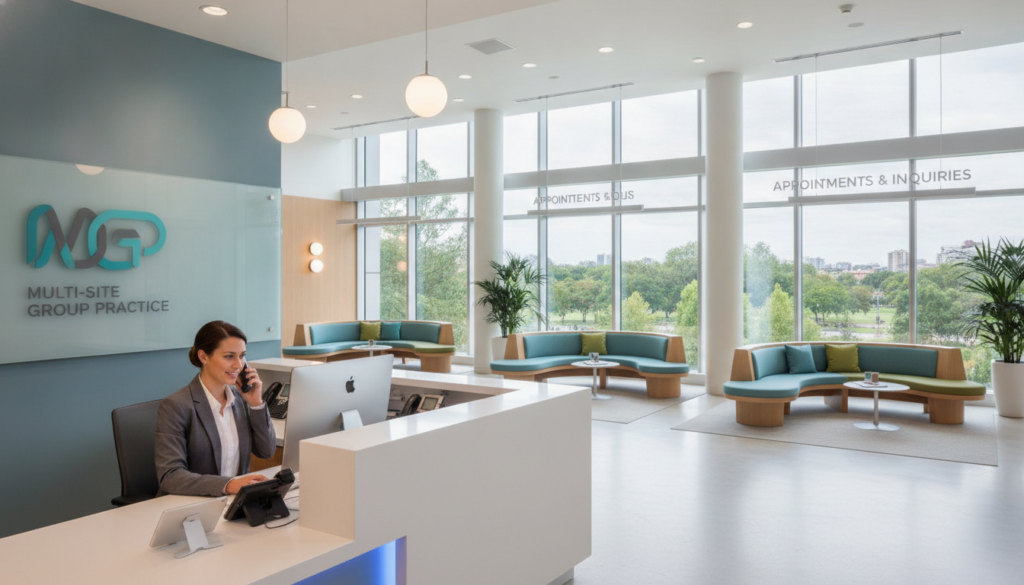
Make call handling clear and consistent
Use one call protocol for greetings, information requests, emergency routing, language support, and follow-up. Set response rules for voicemail, recall messages, and payment questions. Consistent communication helps patients receive the same experience, even when calls reach different locations.
Align scheduling and visit workflows
Create a shared catalog for appointment types, duration, provider matching, buffer time, and template overrides. Keep provider-specific templates local, but use the same visit definitions and rules. Dentrix and Open Dental can support this process when staff follow common workflows.
Connect registration, insurance, and payment steps
Set one sequence for registration, insurance capture, eligibility checks, and charge entry. Consistent timing can reduce avoidable denials. Use the same payment-plan terms and recall messages, and consider prior authorization support when needed.
Call Us: (352) 516-3972; Text Me; Email Us: info@totalmedicalsolution.com. Support Hours Available 24 / 7.
| Priority | Shared requirement | Local flexibility |
|---|---|---|
| Calls | Greeting and escalation rules | Language resources |
| Scheduling | Visit types and time blocks | Provider template shape |
| Payments | Plans and communication | Manager approval steps |
Separate Organization-Wide Standards From Local Execution
Clear boundaries help your group move as one without making every office operate alike. Set the shared baseline first, then give each location room to respond to its patients, staff, and physical setting. This layered model makes standardization useful rather than restrictive.
Processes that should remain consistent at every location
Your organization should use the same definitions, safety steps, compliance checks, communication rules, payment controls, scheduling interfaces, reports, and escalation paths. Apply these standards to onboarding, revenue-cycle intake, and the management cadence. Shared rules make results easier to compare and support reliable performance.
Local decisions managers should continue to control
Managers can adjust room use, huddle timing, shift patterns, referral ties, and community outreach. A provider may also keep a local template shape when it follows the approved visit catalog and appointment lengths. Staffing mix can change with patient needs, while every team meets the same competency floor.
Review each variation with care. If it improves access or fits local conditions, keep it. If it creates risk or confusion, correct it. For added capacity, explore virtual staffing support.
Call Us: (352) 516-3972; Text Me; Email Us: info@totalmedicalsolution.com. Support Hours Available 24 / 7.
Build a Front Desk Playbook That Enforces Standards
A clear playbook turns daily decisions into reliable actions. It gives each location one standard for service, safety, and compliance while preserving room for sound judgment.
Use a digital guide to define call handling, scheduling, payment, recall, and patient communication rules. Learn more from this dental practice playbook resource.
Turn policies into repeatable workflows, flags, and escalation rules
Build clear prompts into your system. The same colors, flags, guidance steps, and triage rankings should appear at site one and site twenty. AI-enabled tools can deploy these protocols in days, not months.
- Mark what runs automatically and what needs human review.
- Route concerns through one shared issue log.
- Move urgent cases from staff to managers and leadership.
- Give new hires the guide during their first week.
Turnover can exceed 40% each year, so training cannot depend on memory. Software-enforced workflows narrow the gap between an SOP and busy-day actions. For changing authorization needs, review these 2026 prior authorization updates.
Call Us: (352) 516-3972; Text Me; Email Us: info@totalmedicalsolution.com. Support Hours Available 24 / 7.
Roll Out Front Desk Standards Across Every Site
Successful rollout depends on shared ownership, not a memo from headquarters. Invite site managers to shape each standard with you. Their local insight can reveal staffing limits, patient needs, and workflow risks before changes reach other locations.
Test the process before expanding its reach
Pilot one workflow at one office for a full cycle. Watch how staff use it, record barriers, and revise the steps. Assign one owner at each location so questions receive a clear answer. Keep the rollout to two changes at a time; busy managers rarely have capacity for more.
Build skills that transfer between sites
Use one onboarding path, role-based training, and a simple competency checklist. This approach helps staff support another office without learning a separate desk process. Reinforce the new method during the first week, then use coaching and scheduled reviews.
Turnover can exceed 40% each year, so training must begin on day one. Consistent onboarding protects service quality across your group and practice. For added planning help, review this optometry workflow guidance.
Call Us: (352) 516-3972; Text Me; Email Us: info@totalmedicalsolution.com. Support Hours Available 24 / 7.
Measure Front Desk Performance Across Locations
Reliable measurement shows whether your service standard works in daily operations. Use one scorecard, one review rhythm, and clear definitions. This makes performance easier to compare and helps you find a gap before it affects more patients.

“A shared scorecard turns scattered data into an action plan.”
Track answer rates, booking conversion, recall compliance, and patient satisfaction
Review calls by location and aim for an answer rate of 98% or higher. Booking conversion should fall between 65% and 80%. A wide spread may point to staffing needs, demand changes, or unclear scheduling rules.
- Keep recall compliance above 75% and confirm patients receive timely outreach.
- Hold accounts receivable below 20 days to connect payment steps with financial reporting.
- Target a patient satisfaction score of at least 4.5 out of 5.
- Use the same reporting definitions across locations and review results each month.
Track these measures for every location, then discuss trends with managers. For broader location management strategies, connect results to coaching and staffing decisions. You can also explore virtual check-in support to improve access.
Call Us: (352) 516-3972; Text Me; Email Us: info@totalmedicalsolution.com. Support Hours Available 24 / 7.
Conclusion
The most lasting way to improve quality is to align shared workflows while keeping local judgment. Your practice can protect patient trust without asking every team to work in exactly the same style.
A clear desk playbook should guide calls, scheduling, payments, messages, escalations, and reports. Embed these rules in the tools staff use each day, not only in training materials or written policies.
- Use common metrics, including a 98% answer rate, 65–80% booking conversion, and 4.5/5 patient satisfaction.
- Review multi-location management for scalable workflows.
- Consider healthcare back-office support when groups need added capacity.
Ready to improve service across your locations? Call (352) 516-3972, text us, or email info@totalmedicalsolution.com. Support is available 24/7.


