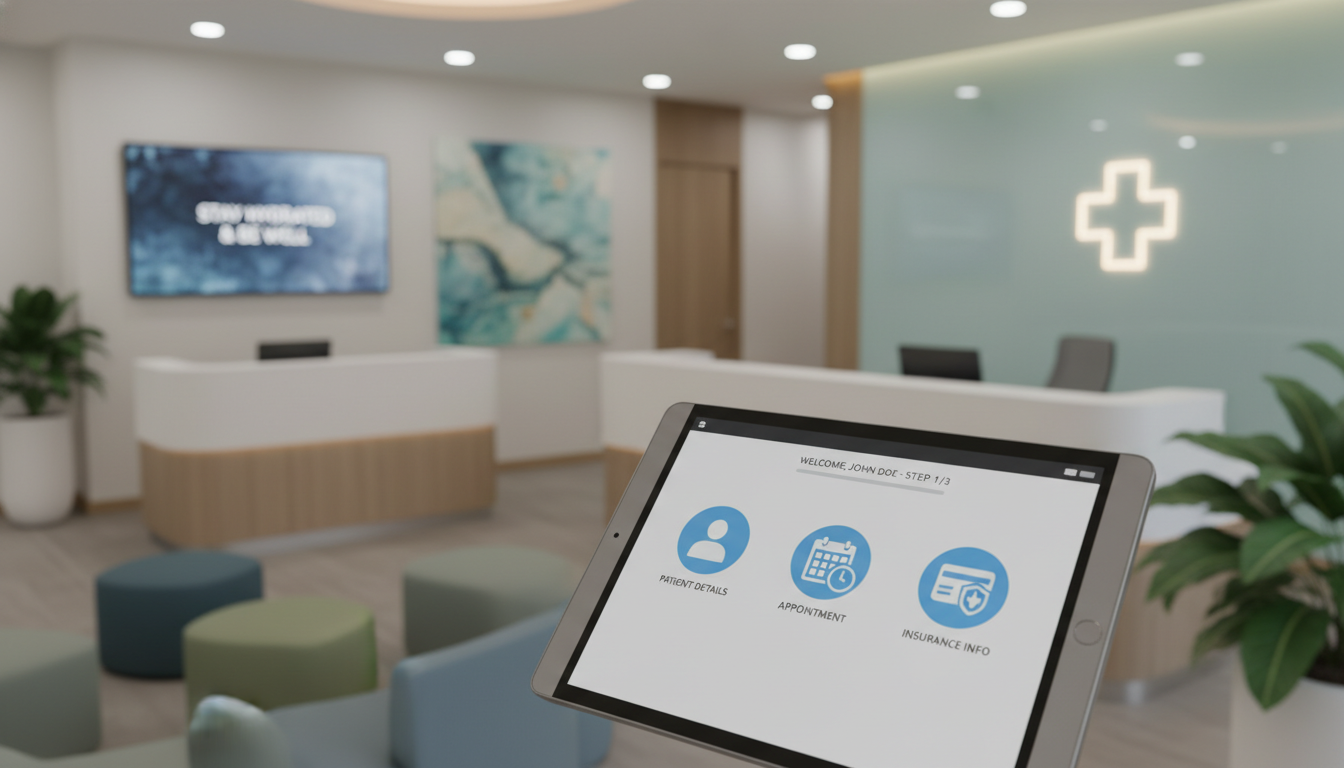
Healthcare practices lose an average of 67 hours per week on paper-based forms. This is like having two full-time employees just for managing these forms. They deal with clipboards, hard-to-read handwriting, and missing info.
Your front desk team is under a lot of pressure. Visitors come in with their smartphones, expecting easy digital interactions. But old ways of checking in cause delays. These delays make people wait even longer before they see a doctor.
The healthcare world is changing how it welcomes visitors. Digital patient intake systems are replacing old paper methods. They use mobile solutions to get info right before visits start. This change is more than just going digital—it’s a new way of doing things.
By updating how you check in patients, you meet tech expectations. Virtual systems cut down on physical contact and make data better. Practices that see this change as key to success will stay ahead.
Key Takeaways
- Healthcare facilities waste over 67 hours weekly on paper-based registration processes
- Digital patient intake systems eliminate bottlenecks by collecting information before appointments
- Modern registration technology meets expectations formed by seamless consumer apps
- Virtual workflows reduce physical contact points while improving data accuracy
- Upgrading arrival procedures creates competitive advantages in today’s healthcare market
- Mobile-first solutions streamline operations for both staff and visitors
The Importance of Patient Check-In Modernization
Modernizing your patient check-in system is now a must, not just a plus. Patients expect digital ease, like in retail and banking. If your check-in doesn’t meet these expectations, you might lose patients to tech-savvy rivals.
Old check-in systems waste staff time and cause workflow jams. They also lead to errors that harm care quality and revenue. Knowing why modernization is key helps you get support for change.
What Today’s Patients Expect from Your Facility
Patients now expect digital ease everywhere, including healthcare. They book flights and order groceries online. They want the same ease when they visit your healthcare facility.
They value their time most. They want to know wait times ahead and manage tasks on their own time. The virtual waiting room concept meets these needs by letting patients check in remotely.
They also want personal touches. They want you to remember their likes and talk to them how they prefer. Asking them to fill out the same forms every visit shows you don’t value their time or info.
The digital check-in experience they desire includes:
- Mobile-friendly interfaces they can access from any device
- Pre-visit registration that saves time during their appointment
- Real-time updates about appointment status and wait times
- Secure access to their health information and visit history
- Contactless options that reduce exposure to illness
Meeting these expectations boosts your relevance in a market where patients choose based on convenience. It’s not just about making them happy. It’s about staying competitive.
Measurable Advantages of Streamlining Check-In
A smooth check-in process boosts your bottom line and workflow. Modern solutions cut down on lobby chaos. This makes patients happier and helps keep everyone healthy.
Your staff will be more productive without the paperwork. They can focus on caring for patients. This makes them happier and reduces burnout.
Accurate data is a big plus of digital check-in. It cuts down on errors and speeds up payments. Better data means fewer claim denials and faster cash flow.
The financial perks of modernizing include:
- Lower no-show rates with automated reminders
- Less staff cost with automated tasks
- Better insurance checks for more revenue
- See more patients daily
- Save on paper and storage costs
Modern check-in systems make your facility more efficient. They free up space for more clinical work. This means more money for your facility.
These benefits add up over time. They make your facility look forward-thinking and patient-focused. In a competitive market, showing you value innovation attracts and keeps patients.
Check-in modernization is key for future growth. It sets the stage for telehealth, analytics, and personalized care. These are the hallmarks of successful healthcare in the next decade.
Key Technologies Transforming Check-In
Digital transformation in healthcare starts when a patient wants to connect with your practice. Today’s technologies don’t just make things faster. They change how patients feel from the start. Knowing these solutions helps you pick the best for your place and patients.
Three main tech areas are changing patient access. Each has its own benefits and tackles different parts of the check-in process. The best results often come from mixing these technologies to meet different patient needs.
Smartphone-Based Patient Registration
Mobile health tech has changed what patients expect. They can now register, check insurance, and handle money before they arrive. This contactless check-in cuts down on wait times and makes things smoother.
The best mobile apps do more than just forms. They use smart features like geofencing to alert staff when patients arrive. This helps your team get ready for patients faster.
Scanning insurance cards with your app cuts down on errors. Patients just take a photo of their cards. This makes data entry much more accurate.
Secure messaging lets patients talk to your staff right away. If they have questions during digital patient intake, they can get answers without calling. This stops delays in appointments.
“Mobile check-in is now the top choice for 73% of patients under 50. It’s changing how healthcare facilities handle intake.”
Mobile apps make paying for visits easier. Patients can see costs, set up payment plans, and pay co-pays on their phones. This makes them trust your practice more and helps you get paid faster.
Self-Service Station Solutions
Kiosks are a great option for patients without smartphones or who don’t want to use their devices. They offer the same benefits as mobile health technology but are more inclusive.
Kiosks use different ways to verify patients’ identities. They can scan driver’s licenses, read insurance cards, and check dates of birth. This keeps medical records safe and accurate.
Kiosks also make it easy to get patients to sign forms and agree to privacy policies. They store these signatures safely, solving paper storage problems and keeping everything legal.
Self-service stations make paying for visits easier too. They use card readers to accept payments, print receipts, and update your billing system. This frees up your staff to help patients who need it.
Kiosks are designed to keep patient info safe. They have screen filters, automatic timeouts, and are placed in quiet areas. This keeps patient privacy safe even with contactless check-in.
Virtual Care Platform Connection
Telehealth is the most complete way to modernize check-in. When your digital patient intake connects with telehealth, patients can go straight to video calls. This makes care visits fully virtual, without waiting rooms.
Telehealth visits start with the same intake process as in-person ones. Patients update their health info, confirm meds, and answer screening questions before their call. This keeps care quality high, no matter the visit type.
When systems work together, care flows smoothly. Chief complaints from digital patient intake fill out electronic health records. Visit notes, prescriptions, and follow-up instructions go to the patient portal, creating a full digital record.
Telehealth platforms also improve billing. They share data with your system, making insurance checks and authorizations the same for all visits. This cuts down on denied claims and speeds up payments.
Telehealth check-in lets you reach more patients. It’s great for those in rural areas or with mobility issues. This turns your practice into a resource for many, not just those nearby.
Key benefits of telehealth check-in include:
- Less no-shows with automated workflows
- More evening and weekend hours without extra costs
- Better care for chronic diseases with regular calls
- More access for underserved communities
- Quicker urgent care triage before in-person visits
These three tech areas can change your patient check-in experience. The right choice depends on your patients, facility, and goals for care access.
Streamlining Your Check-In Process
Your practice’s success depends on cutting out delays before patients see the doctor. Every step that’s not needed wastes time. Workflow optimization means getting rid of these steps.
Healthcare needs a new way to handle patient arrival. Old methods annoy today’s tech-savvy patients. By making smart changes, you can make this step a plus for your practice.
Eliminating Administrative Burden and Delays
The old clipboard with forms is a big problem. Digital patient intake lets patients fill out forms online before they come. They can do it from any device, without the stress of a busy waiting room.
These systems fill in what they already know from past visits. Patients just need to check if it’s right or update it. This makes filling out forms much faster.
Getting electronic signatures is faster and just as legal. Your staff doesn’t have to deal with hard-to-read handwriting. Digital patient intake also cuts down on mistakes when staff types in what patients wrote.
The virtual waiting room changes how patients wait. It lets them stay in their cars or at home until it’s time to come in. They get a text when it’s time to enter.
This change helps in many ways. Your waiting area is less crowded, which helps prevent the spread of illness. Patients think they’re waiting less because they’re not stuck in a chair. This makes them happier with their visit.
Think about how this changes things for your staff. They’re not just typing anymore. They can greet patients, answer questions, and help them move along. This makes their job better.
Intelligent Reminder Systems That Work
No-shows and last-minute cancellations hurt your schedule and money. Automated appointment reminders can cut down on these problems. They send messages by SMS, email, and phone, without adding to your staff’s work.
When and how you send reminders matters. Research shows reminders 72 hours before work best. A reminder 24 hours before helps too, catching those who missed the first one.
Today’s reminder systems let patients respond easily. They can confirm, reschedule, or cancel with a text. This helps you fill spots that open up, keeping your schedule full and your money coming in.
- Multi-channel delivery: Send reminders by SMS, email, or voice calls, depending on what patients like
- Personalized messaging: Include details like who the doctor is, when and where the appointment is
- Pre-visit instructions: Send info on what to do before coming, like what to bring or where to park
- Real-time schedule management: Update your schedule when patients respond, so you don’t have to
- Analytics tracking: Keep track of how well reminders work and make them better over time
Digital intake and reminders together make your workflow better. Your staff has less to do, patients are happier, and your practice runs smoother. These tools help you offer a modern check-in experience that prepares patients for great care.
Enhancing Security and Privacy
Switching from paper to digital forms is key. It’s about keeping health data safe. Patients trust you with their personal info, like medical history and insurance.
Modern security solutions offer better protection than old methods. But, you must follow laws and use practical safeguards. It’s not just about using new tools. You must ensure your system protects patient privacy.

Navigating Federal Privacy Standards
Knowing HIPAA rules is essential for digital check-ins. HIPAA sets standards for handling health info. These rules apply when you collect data digitally.
You need Business Associate Agreements with tech vendors. These contracts ensure they follow your privacy standards. Without them, you risk big problems.
Technical safeguards are also key. Your system must use encryption for data. Access controls should limit who sees patient info. Audit trails track all interactions. These steps are required for compliance.
Keeping records is vital for audits. You need written policies on handling patient info. Regular risk checks find problems early. Keep records of security steps, training, and policy updates.
“Healthcare organizations with strong digital security see 60% fewer breaches than those with paper systems.”
Contactless check-ins improve privacy over paper forms. They keep info private, unlike waiting rooms. Digital systems only show staff what they need.
Implementing Robust Protection Measures
Good data protection goes beyond laws. It shows you care about patient info. These steps make your system stronger.
Start with these key security steps:
- Multi-factor authentication for all patient portal access, requiring both passwords and secondary verification codes
- Regular security assessments conducted quarterly to identify and fix vulnerabilities
- Comprehensive staff training on spotting phishing and social engineering attacks
- Automatic logout features that protect info on shared devices after short inactivity
- End-to-end encryption protocols to keep data safe during travel
Your team is both your strength and weakness. Train them to spot phishing emails. Use simulated attacks to teach them. Security should be part of your culture, not just a yearly task.
Network segmentation is another strong strategy. Keep your check-in systems separate from other networks. Firewalls and intrusion detection systems watch for unusual activity.
Even with the best security, breaches can happen. Your plan for such events is key. It should cover immediate actions and who to contact. Know your IT team, legal advisors, and how to notify patients.
| Security Measure | Implementation Priority | Primary Benefit | Compliance Impact |
|---|---|---|---|
| End-to-End Encryption | Critical | Protects data in transit | Required by HIPAA |
| Multi-Factor Authentication | High | Prevents unauthorized access | Strongly recommended |
| Automatic Session Timeout | High | Secures shared devices | Best practice standard |
| Regular Security Audits | Medium | Identifies vulnerabilities | Demonstrates due diligence |
State laws may have stricter breach notification rules than HIPAA. Some states require notification within 15 days. Know your state’s rules.
Consider cyber liability insurance. It helps cover costs of breaches. Insurance doesn’t replace good security, but it offers financial protection.
Your focus on data security builds trust with patients. When you protect their info, they share more. This leads to better care and outcomes. Security is about more than avoiding fines; it’s about better care through safe communication.
Personalizing the Patient Experience
Changing from generic to personalized patient interactions starts with how you collect and use information during check-in. Modern digital patient intake systems help you treat each patient as an individual. This thoughtful use of these tools makes patients feel valued and understood.
Personalization is more than just using someone’s name. It’s about understanding their preferences and needs. It’s about delivering personalized healthcare at every touchpoint. Your check-in process sets the tone for the visit and shows you care about each patient.
Utilizing Patient Data Effectively
Your digital patient intake platform can analyze past data to make interactions smoother. It can even pre-fill forms for returning patients. This saves time and shows you remember them.
The data collected helps you provide proactive care. For example, it might suggest curbside check-in for patients with mobility issues. It can also prepare language services based on patient preferences. These details show you care and build trust.
Analytics help you spot trends in patient preferences. You might find that certain appointment types take longer. This lets you adjust scheduling to reduce wait times. You can also prepare educational materials for common questions.
Using patient data ethically is key to true patient-centered care. Every piece of data should improve the care experience, not just make things easier for you. When patients see personalization benefits their health, they’re more willing to share information.
Consider how visit history can help anticipate needs. Patients seeing multiple specialists might get coordinated scheduling suggestions. Those with chronic conditions might get reminders tailored to their treatment plans. These thoughtful touches strengthen the patient-provider relationship.
Customizing Communication Preferences
Patients have different ways they like to interact with your practice. Some prefer text messages, while others like phone calls. Some want educational content, while others prefer minimal communication. Your digital patient intake system should honor these preferences.
Modern platforms let patients control their communication settings. They can choose how they want to receive messages and how often. This reduces the chance of your messages feeling intrusive.
Respecting communication preferences boosts patient satisfaction. When you send messages through preferred channels, engagement rates soar. Patients are more likely to confirm appointments and complete paperwork when they receive information in their preferred format.
Ignoring preferences can harm your delivery rates. A few complaints can send your messages to spam folders for everyone. It’s important to honor preferences to avoid this.
| Communication Method | Best Use Cases | Patient Preferences | Engagement Rate |
|---|---|---|---|
| Text Messages | Appointment reminders, quick confirmations, time-sensitive updates | Younger patients, those with busy schedules | 85-90% open rate |
| Educational content, detailed instructions, billing information | Patients who prefer detailed information | 20-25% open rate | |
| Phone Calls | Complex scheduling, sensitive discussions, follow-up care | Older patients, those with accessibility needs | Direct conversation benefits |
| Patient Portal | Test results, medical records, secure messaging | Tech-savvy patients, those managing chronic conditions | 40-50% active user rate |
Your system should remember not just how patients want to be contacted, but also when and what about. Some patients want reminders three days in advance, while others prefer the day before. Some want wellness tips, while others prefer minimal communication. Building these preference profiles takes time but improves patient engagement and satisfaction.
Creating these preference profiles is worth the effort. It leads to a communication strategy that feels helpful and respectful. Patients see you value their time and autonomy, which strengthens your relationship and improves health outcomes.
Training Staff for a Digital Transition
Digital transformation in healthcare is more than just new software. It needs thorough staff preparation and support. Your contactless check-in system is a big change for everyone who works with patients. The technology is advanced, but it only works well if your staff knows how to use it.
Change management in healthcare is tough. Your team has learned to do things a certain way for years. New technology shakes up these routines, causing short-term problems and stress.
To succeed, you must plan a detailed training program. It should cover both the technical skills needed and the emotional concerns that come with change.
Building Strong Staff Support and Engagement
Getting your staff on board is key to success. They might resist new technology because of real concerns. They might worry about their jobs, feel unsure about learning new systems, or remember past tech issues.
Involve your staff early in choosing new check-in systems. When they help pick the technology, they become more invested. This makes them understand why and how the new system helps their work.
Clear communication is vital during this time. Explain how the new system makes their jobs easier, not harder. They should see how it automates tasks, reduces patient frustration, and lets them focus on more important work.
Identifying and empowering champions helps everyone else adopt the new technology. Early adopters can offer support and show others it’s possible to learn and use the new system.
Champions play many roles:
- Troubleshooting support: They help quickly without needing formal help desk tickets
- Workflow optimization: They find ways to improve the system that training might miss
- Morale boosting: They show that learning the new system is achievable and worth it
- Feedback collection: They gather concerns and ideas for improving the system
Recognize your champions’ efforts. Acknowledge their help and offer more learning chances. This creates a lasting support network.
Practical Approaches to Continuous Learning
Keep your staff up-to-date with ongoing education. One-time training is not enough for complex systems. Offer various learning paths to fit different styles and schedules.
Hands-on practice lets staff learn without fear of mistakes. They can practice with sample patients before working with real ones. This builds confidence and skill.
Quick guides help during busy times. They give answers when staff face unexpected situations. These guides, shortcuts, and tutorials provide just-in-time learning.
Here are some practical training resources:
| Resource Type | Best Use Case | Implementation Tip |
|---|---|---|
| Video Tutorials | Visual learners and complex multi-step processes | Keep videos under 3 minutes and focus on single tasks |
| Interactive Simulations | Building confidence before live patient interactions | Include common error scenarios and recovery steps |
| Peer Mentoring | Personalized support and workflow-specific guidance | Pair experienced users with those just starting |
| Help Desk Access | Technical issues beyond basic troubleshooting | Ensure response times under 15 minutes during business hours |
Regular feedback sessions help improve continuously. Hold monthly meetings for staff to share problems, ask questions, and suggest improvements. This keeps your technology in line with real needs.
Your feedback process should be clear. Document all suggestions, explain which ones you’ll implement, and why others won’t work. This shows you value staff input and take their expertise seriously.
Microlearning opportunities fit into busy schedules. Instead of long training sessions, offer short lessons during breaks. Short skill refreshers are more effective than long, overwhelming training.
Change management should focus on small steps. Your team builds confidence with small successes. Celebrate milestones like completing a week with the new system or reaching specific goals.
Technology vendors often offer training as part of their packages. Negotiate for support that includes initial training, refresher courses, and access to user communities. This helps your team learn from others in healthcare.
Remember, training is an ongoing investment, not a one-time cost. As your system updates and adds features, your team needs education to use these new capabilities well.
Measuring the Success of Modernization Efforts
Measuring the impact of your virtual waiting room and digital tools is key. It turns feelings into real data. Without clear goals, you can’t tell if your tech is helping patients and staff.
Both numbers and patient stories are important. Numbers show trends, and stories explain why. This mix helps improve your check-in systems.
Critical Performance Indicators Worth Tracking
Focus on metrics that show how patients feel and how well things run. Start with average check-in time. It often drops by 40-60% with digital tools.
Watch your digital adoption rate. Low rates mean you need to teach patients more. High rates show your virtual waiting room is a hit.
Look at no-show and late cancellation rates. Good reminders and easy rescheduling cut these rates by 20-30%. This boosts your revenue and keeps your revenue cycle management strong.
See how much time staff spends on registration before and after digital tools. With self-service, staff can focus more on patients. Track these savings to see your return on investment.
Also, check patient satisfaction scores for arrival and check-in. Ask specific questions to get real feedback.
| Performance Indicator | Baseline Target | Post-Modernization Goal | Measurement Frequency |
|---|---|---|---|
| Average Check-In Time | 8-12 minutes | 3-5 minutes | Weekly |
| Digital Adoption Rate | Initial: 0% | 65-80% within 6 months | Monthly |
| No-Show Rate | 10-15% | 5-8% | Monthly |
| Staff Registration Time | 15-20 min per patient | 5-8 min per patient | Quarterly |
Set baseline measurements before making changes. This way, you can show real improvements. Track your progress at 30, 60, and 90 days after starting.
Gathering Meaningful Patient Input
Numbers show what’s happening, but patient feedback explains why. Use quick surveys to get feedback while it’s fresh. Keep them short to get more answers.
Use feedback kiosks near exits for quick ratings. They give you instant, anonymous feedback. This helps you fix problems fast.
Watch online reviews on Google, Healthgrades, and social media. They share feelings you might miss in surveys. Check these weekly to spot trends.
Host focus groups for deeper insights. Choose patients of different ages and tech comfort levels. These talks reveal details numbers can’t show.
The key is to close the feedback loop. Show patients how their feedback helps. This builds trust and keeps them involved.
Make a culture of always getting better. Use patient scores and healthcare metrics to guide decisions. Share results with your team to show how everyone helps.
Measuring without acting is just data. Acting without measuring is guessing. Together, they lead to better patient care.
Your measurement plan should grow with your efforts. What matters in month one might change by year two. Regular checks keep your focus on what’s important.
Overcoming Possible Challenges
Change is hard, and updating patient check-in systems is no different. You’ll face obstacles that test your patience and problem-solving skills. Knowing these challenges ahead of time helps you prepare.
The journey to digital transformation involves both tech and people. Success depends on tackling resistance wisely and making sure everyone benefits. With the right strategies and commitment to inclusive implementation, you can overcome these hurdles.
Managing Resistance to New Technology
Patients and staff may feel uneasy about digital check-ins. This unease comes from real concerns, not just being stubborn. Some worry about data security, while others struggle with physical issues like arthritis or poor vision.
Many prefer talking to a person during healthcare visits. This preference should be respected, not ignored. Keep traditional check-in options available during the transition to make everyone feel comfortable.
Good communication can help ease concerns and build trust. When introducing digital patient intake systems, consider these steps:
- Acknowledge concerns openly and provide clear, honest answers about security measures and data protection
- Offer hands-on assistance where staff guide hesitant patients through their first few digital check-ins
- Highlight specific benefits like reduced wait times and fewer forms to complete
- Provide visual aids and simple instructions in large print for patients with vision challenges
- Create a gradual adoption timeline that allows people to transition at their own pace
Your staff also needs support during this change. Those used to paper systems may feel anxious about new tech. Investing in training and celebrating small wins can boost enthusiasm.
Patient resistance often drops after a smooth first experience. Once someone uses digital check-in without trouble, they usually get more comfortable. Your job is to make that first experience positive by guiding patients and being ready to help.
Bridging the Technology Gap
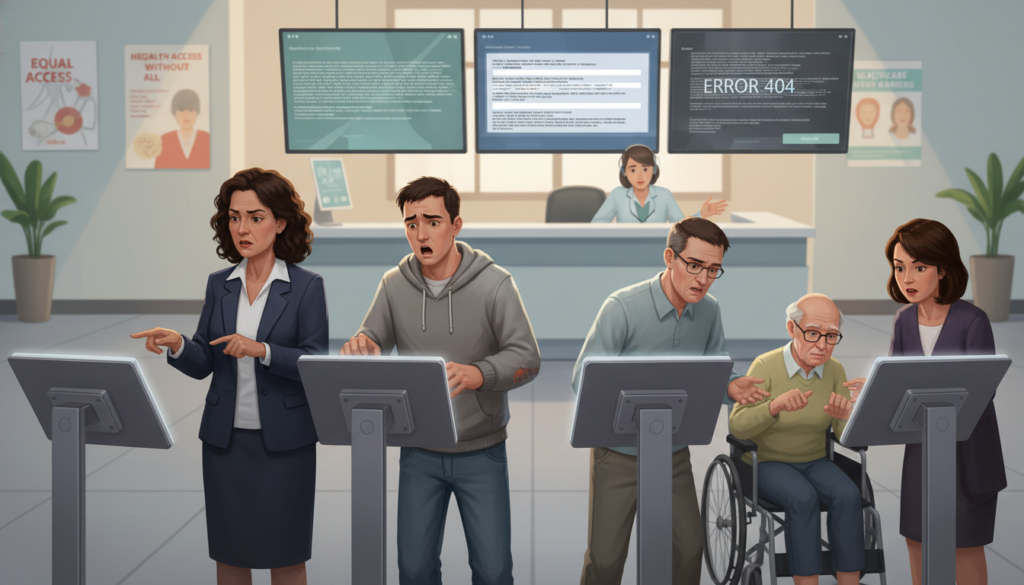
The digital divide is a big challenge in updating check-in processes. Not everyone has smartphones, reliable internet, or tech skills for digital systems. This affects vulnerable groups more.
Elderly patients, low-income communities, and those with limited English face big barriers to healthcare accessibility. Your efforts to modernize should not make things harder for these groups. You need to plan carefully and adjust as needed.
Here are ways to make sure your digital solutions don’t leave anyone out:
- Offer tablet-assisted check-in where staff help patients without personal technology
- Maintain robust non-digital pathways that feel welcoming
- Partner with community organizations to provide tech training
- Analyze your patient demographics carefully to ensure solutions match your population’s needs
- Provide multilingual options in both digital and traditional formats
Understanding the digital divide in your community helps you make better choices. A practice with mostly young, tech-savvy patients can move faster to digital systems than one with mostly elderly or low-income patients.
Your focus on healthcare accessibility means looking at success in different ways. Make sure nobody faces new barriers to care. Track who uses different check-in methods to spot any fairness issues early.
Technology should make care easier, not harder. If modernization efforts exclude vulnerable groups, healthcare facilities must rethink their approach to ensure fair service.
Some places have found success with a mix of digital and traditional methods. Staff help patients choose the best check-in method for them. This way, the digital divide doesn’t block quality care.
Regular checks on your implementation help find problems early. Ask patients about their check-in experience, focusing on those using traditional methods. Their feedback shows if your mix of digital and traditional services is truly equal.
Overcoming these challenges takes ongoing effort, not just a quick fix. As tech changes and your patient population shifts, you’ll need to keep adjusting your strategies. The goal is always to offer efficient, accessible check-in experiences for every patient.
Case Studies of Successful Modernization
Healthcare facilities of all sizes are changing how patients check in. Their success stories offer valuable lessons for your own journey. By looking at what works, you can find solutions that fit your needs and resources.
These case studies show how different healthcare settings have improved. You’ll see how they reduced wait times and made patients happier. They faced challenges like yours and found creative solutions.
Large Health Systems Setting New Standards
Cleveland Clinic changed patient flow with a virtual waiting room. Patients wait in their cars and get texts when it’s time to go in. This cut lobby wait times by 73% and lowered infection risks.
The virtual waiting room boosted patient satisfaction by 28% in six months. Patients liked not guessing wait times and having control. It also gave staff real-time data to improve scheduling.
Mayo Clinic made a mobile app for contactless check-in and wayfinding. Their big campuses were hard for patients to navigate. The app guides patients from parking to their appointments, reducing stress.
Mayo Clinic rolled out the app in phases, learning and improving along the way. They started small, gathered feedback, and then expanded. The app includes directions, walking times, and parking integration.
Both Cleveland Clinic and Mayo Clinic managed change well. They had teams for implementation, including staff and IT experts. Regular updates kept everyone informed, building support for the changes.
| Organization | Primary Solution | Key Results | Implementation Timeline |
|---|---|---|---|
| Cleveland Clinic | Virtual waiting room with SMS notifications | 73% reduction in lobby congestion, 28% satisfaction increase | 9 months pilot, 6 months full rollout |
| Mayo Clinic | Mobile app with contactless check-in and wayfinding | 42% reduction in navigation-related delays, 89% app adoption rate | 12 months phased implementation across campuses |
| Independent Primary Care Network | Tablet-based check-in with digital forms | 60% reduction in front desk workload, 15-minute wait time decrease | 3 months single-site pilot, 4 months network expansion |
| Specialty Dermatology Group | Custom pre-visit questionnaires via patient portal | 23% increase in appointment efficiency, improved documentation quality | 6 weeks development, 2 months rollout |
Small and Mid-Sized Practices Achieving Big Results
Small primary care offices have shown that big changes don’t need big budgets. A network of six offices used tablet-based check-in and saw huge improvements. They cut front desk needs by 60%, freeing staff for more patient care.
The contactless check-in system cost about $8,000 per office. Patients used tablets to fill out forms and update info. This reduced errors by 84% and streamlined data entry.
A dermatology group made pre-visit questionnaires that boosted efficiency. Patients filled out detailed forms before appointments. This gave providers the info they needed, making appointments 23% more productive.
The questionnaires changed based on patient answers, asking more questions when needed. For example, new moles got extra questions about size and color. This smart system got all the right info without overwhelming patients.
Urgent care centers used digital check-in to offer the same experience everywhere. They could adjust staff based on wait times, quickly responding to changes. This kept wait times low and patients happy.
The urgent care centers had a few key features:
- Real-time dashboard showing wait times and staff availability
- Automated triage algorithms directing patients to the right care
- Integration with insurance verification systems for smooth billing
- Post-visit satisfaction surveys for quick feedback
Small organizations shared common success factors. They focused on solving real problems, not just for technology’s sake. They involved staff in choosing solutions and measured results to improve.
Being budget-conscious led to creative solutions. Limited funds forced them to focus on what really mattered. This often led to better results than expensive systems.
Patient demographics played a big role in how they modernized. Older patients needed more support, while younger ones were quicker to adapt. Knowing your patients helps tailor your approach.
The best modernizations saw it as an ongoing journey. They kept improving, listening to feedback and updating systems regularly. This kept them relevant as needs and technology changed.
The Role of Telehealth in Modern Check-In
Your practice can now reach more patients thanks to telehealth integration. This mix of virtual care and check-in processes helps patients who had trouble getting to healthcare before. By adding a virtual waiting room to your telemedicine, you make your service more accessible.
This change affects how you work. Patients can do digital patient intake for any visit, online or in-person. This makes your data better and helps your staff work less.
Expanding Access to Care
Telehealth with modern check-in helps you serve more patients. People in rural areas can get help from you through video calls. They no longer have to choose between traveling or skipping care.
Your virtual waiting room helps those who can’t easily get to your office. It’s great for people recovering from surgery or with mobility issues. They can avoid travel and get the same care online.
Working people also benefit from this. They can see you during their breaks or after work. This makes it easier for them to get care without missing work.
People with weak immune systems are safer with virtual visits. Your virtual appointments keep them safe while they get the care they need.
With telehealth integration, you can see patients all over your state. This isn’t just for convenience. It helps keep care going when patients travel or move.
- Market virtual services to patients in underserved areas through targeted outreach
- Promote weekend or evening video appointments for working professionals
- Highlight safety benefits for immunocompromised populations
- Emphasize continuity of care for patients who travel frequently
Many patients start with virtual visits and then see you in person. The digital patient intake system you use helps build a relationship with them.
Blending In-Person and Virtual Services
Creating a mix of in-person and virtual care needs one system. Your check-in should work for both without extra steps. Switching between visits should be easy for patients.
Imagine a patient who checked in online last week and now is at your office. Your system should show their whole history and current info without extra work.
This integration stops gaps in care that can harm patients. Complete information is key for good care. When your telehealth integration works with in-person visits, providers have all the info they need.
Training staff is easier with one digital patient intake process for all visits. Your team learns one way, not two. This cuts down on mistakes and makes training faster.
What patients want to do affects how they see you. Some like to see you in person, others prefer online. Your mix should meet both needs while keeping care quality first.
Insurance checks, consent forms, and questionnaires should work the same for online or in-person visits. This makes things easier for you and keeps care consistent. Your investment in telehealth pays off by making things more efficient and reaching more people.
Future Trends in Patient Check-In
Looking ahead, contactless check-in and artificial intelligence will change patient engagement. Today’s healthcare tech trends show how different check-in will be soon. Knowing these trends now helps your facility stay ahead.
Healthcare tech is changing fast. What’s new today might be common tomorrow. Being ready for these changes helps your facility adapt smoothly.
How AI and Machine Learning Will Transform Registration
Artificial intelligence is changing patient interactions with check-in systems. Chatbots use natural language to talk with patients. They help with paperwork and insurance while getting needed info.
AI makes check-in more engaging and intuitive. Patients talk naturally, not filling out digital forms.
Machine learning predicts appointment times based on many factors. It looks at visit reasons, patient history, and provider patterns. This helps schedule appointments better.
- Reason for visit and complexity of the presenting concern
- Patient history and known conditions requiring additional time
- Provider patterns and average consultation lengths
- Time of day and typical workflow variations
This approach reduces wait times and improves patient satisfaction. It makes scheduling more realistic.
AI also spots patients likely to miss appointments. It looks at their history and other factors. This lets staff send reminders or help with transportation, improving schedule reliability.
Biometric authentication is another big change in contactless check-in. Facial recognition could make check-in easy and fast. Patients might not need to do anything when they arrive.
But, these technologies raise privacy and fairness concerns. Your facility must balance convenience with patient rights. It’s important to make sure everyone can access these new systems.
What the Next Decade Holds for Patient Access
In the next decade, “check-in” might not mean what it does now. Remote monitoring and constant connection could replace many visits. Wearable devices and home systems send data that cuts down on in-person visits.
When patients do visit, the experience will change. Social determinants of health screening will be part of check-in. This includes looking at housing, food, and transportation access. These factors affect health as much as medical care.
Your system might screen for these factors and connect patients with resources. This approach sees healthcare as more than just medical care.
Blockchain technology could also change patient data management. It lets patients control their health info and share it with providers. This way, you access a patient’s complete health record with their permission.
The healthcare technology trends for the next decade include:
- Voice-activated check-in through smart speakers and virtual assistants
- Augmented reality wayfinding that guides patients to the correct location
- Integration with smart home devices for seamless appointment preparation
- Predictive pre-registration that anticipates needed information before patients arrive
- Environmental sensors that optimize facility operations based on patient flow patterns
These changes will change what patients expect. Facilities that do well will use tech to improve human connection. By automating routine tasks, staff can focus on what matters most.
To get ready for these trends, invest in tech and culture. Your facility needs to be open to change and willing to rethink old ways. The future of patient check-in is for those who innovate while keeping care patient-centered.
How to Get Started with Modernization Today
Starting your healthcare modernization journey begins with knowing where you are. It gets clearer when you find areas to improve in your workflow.
Assessing Your Current Check-In Process
Walk through your patient journey from scheduling to treatment. Time each step during busy hours. Note where patients wait the longest and where staff struggle.
Ask your front desk team about their daily challenges. Many practices find that admin tasks harm both patient and staff happiness. This is why using virtual assistants to reduce burnout is key.
Survey patients about their check-in experiences. Their feedback shows problems you might not see. Track metrics like average check-in time and incomplete registration rates. These numbers highlight where digital intake can make a big difference.
Setting Realistic Goals and Milestones
Start small with a pilot at one location or for certain types of appointments. Test your virtual waiting room and contactless check-in with a few patients first. This lets you get feedback and improve before rolling it out more widely.
Plan for 12 to 18 months of gradual rollout. Begin by digitizing forms and automating reminders. Add mobile check-in options in the middle phases. Optimize based on usage data later on. Celebrate small wins to keep the team excited. Remember, modernization is a continuous journey, not a one-time task.


