Nearly 73% of Hispanic patients delay or avoid medical care because of language barriers. This means millions of people in your area can’t get the healthcare they need. The gap in communication slows down your facility for everyone.
Your medical practice is facing a big challenge. The number of Spanish-speaking people in the U.S. is growing. But finding qualified bilingual staff is expensive and hard to do. Traditional ways cost a lot of money for recruitment, training, and salaries.
Bilingual virtual check-in technology is a smart solution. It lets your facility welcome Spanish-speaking patients easily without adding more staff. Virtual systems remove the need for interpreters during registration. This lets your team focus on patient care, not just paperwork.
Multilingual healthcare technology helps you reach more people. You can offer language-accessible care without spending too much. This way, you can help more people without hurting your budget.
Key Takeaways
- Language barriers prevent 73% of Hispanic patients from seeking timely medical care
- Digital registration systems eliminate the need for costly bilingual administrative staff
- Automated language options improve patient flow and reduce wait times
- Technology-based solutions cost significantly less than hiring additional employees
- Spanish-speaking communities gain better access to healthcare services in their preferred language
- Your existing team can maintain focus on clinical responsibilities instead of translation tasks
What is Bilingual Virtual Check-In?
Your practice can change how patients check in by using automated systems. Bilingual virtual check-in technology means no need for translators or extra staff. Spanish-speaking patients can register on their own.
This system makes things easy for Spanish-speaking patients. It keeps your workflow smooth. It checks identities and insurance in the patient’s language.
Healthcare places across the U.S. use these digital solutions to talk to patients better. Your team can focus on harder tasks. The system works all the time, giving good service no matter who’s there.
Digital Systems That Speak Multiple Languages
The heart of bilingual virtual check-in is software and hardware. You can pick what fits your place best. Options include kiosks, tablets, or apps for phones.
These tools have easy-to-use interfaces in English and Spanish. The software uses culturally fitting language for Spanish patients. You won’t have to worry about bad translations.
The tech fits your brand and how you work. It lets patients type, talk, or scan documents. They can update info, check insurance, and sign forms in Spanish without help.
The Patient Journey Through Virtual Check-In
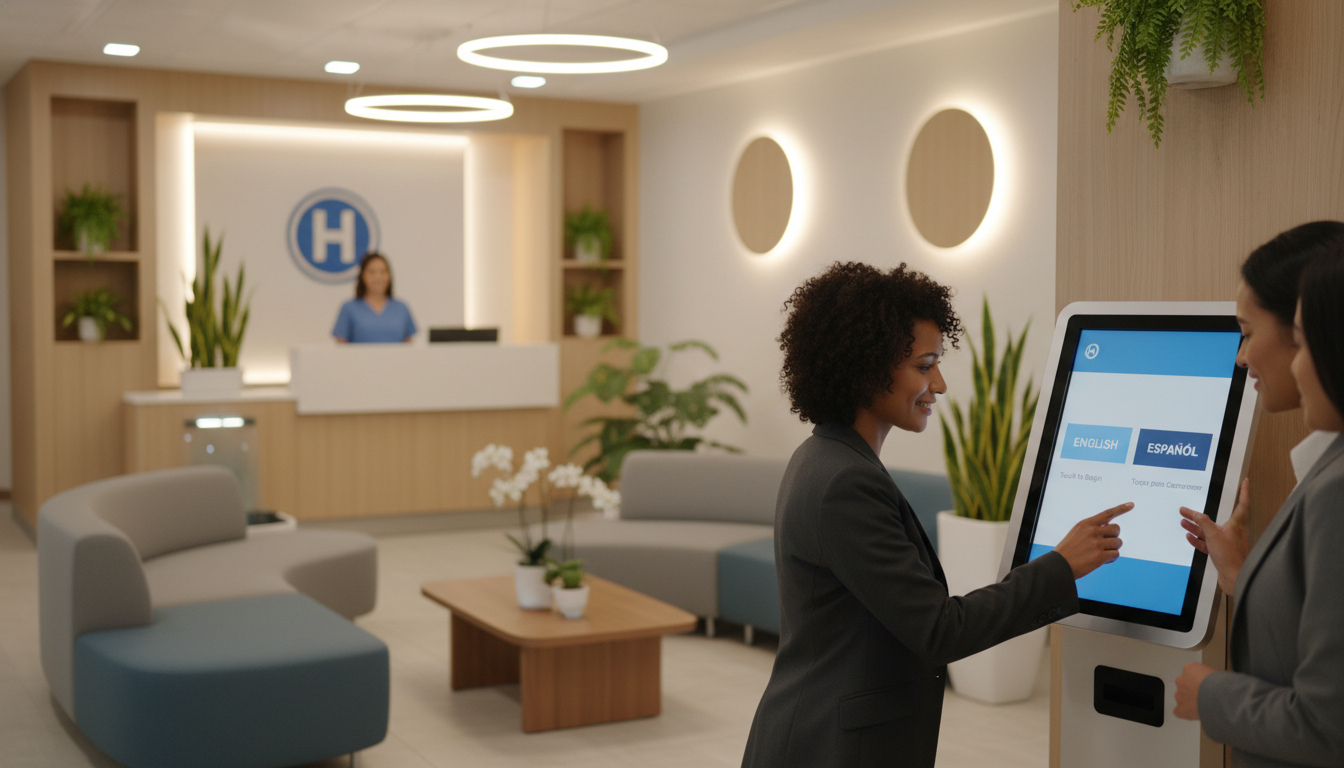
When Spanish patients arrive, they see a friendly screen to choose their language. The system checks who they are first. Everything is in clear Spanish, making it easy for them.
Then, patients update their info, like addresses and insurance. They can even take a photo of their insurance card. This cuts down on mistakes from typing out card info.
Next, they look at and sign important forms in Spanish. The system shows these documents just as legally as English ones. This way, patients know what they’re signing.
After finishing, the system sends their info to your records. Your team gets a notice that the patient has checked in. This makes sure all info gets to the right place.
Advantages for Your Healthcare Organization
Using automated intake improves your daily work. Your staff has less to do because routine tasks are handled by the system. They can focus on more complex needs.
Check-in times for Spanish patients drop a lot. Without language issues, patients get through faster. Your waiting room is less crowded, making things smoother.
With patients entering their own info, mistakes go down. No more errors from typing out what’s on cards. The system checks info right away, asking for fixes before it’s sent.
Your place can help more patients without needing more bilingual staff. Here’s why:
- Consistent availability: It works all the time, no breaks or sick days
- Scalable capacity: It can handle many patients at once without slowing down
- Cultural sensitivity: It greets and guides in a way that respects different cultures
- Cost efficiency: You save money on hiring and keeping bilingual staff
This virtual assistant fits well with your current work. It lets you serve more people without spending too much or needing more staff.
The Need for Spanish-Speaking Support in Healthcare
Your healthcare facility is in a changing America. Spanish is now key to patient care. The country’s demographics mean language access is a must for quality care. Understanding the need for Spanish support helps you make good choices for your patients.
Spanish speakers face big challenges in healthcare. These issues affect everything from scheduling to treatment results. By recognizing this need, you can serve a growing part of the American population.
Demographics That Demand Your Attention
Over 41 million people in the U.S. speak Spanish at home. This makes Spanish the second most common language. The Hispanic community is growing fast, with no signs of slowing down.
Some areas have a lot of Spanish speakers. Places like California, Texas, Florida, and New York have big Hispanic populations. Even areas with fewer Hispanics are seeing growth.
About 16 million people in the U.S. have limited English skills. Most of these are Spanish speakers. They struggle in English-only healthcare settings, making it hard to get the care they need.
Your patient demographics likely show these national trends. When Spanish speakers can’t talk to your staff, they face big challenges. This affects their care and your facility’s success.
Obstacles Spanish Speakers Face When Seeking Care
Language barriers in medicine cause many problems. These start before patients even arrive. Scheduling appointments is hard when staff can’t speak Spanish.
Once patients arrive, things get tougher. Without Spanish-speaking staff, patients face many issues:
- They struggle to fill out forms, leading to errors in medical records
- Insurance issues arise because of miscommunication
- Medical history details are lost or misunderstood
- Patients feel embarrassed or frustrated when they can’t express themselves
- Wait times get longer when staff need to find translation help
These barriers affect more than just paperwork. During clinical visits, communication problems can be serious. Patients may not understand their diagnosis or treatment plans.
Research shows Hispanic healthcare access suffers without language support. Spanish-speaking patients are less likely to get preventive care. They often miss follow-up visits and delay treatment.
Some patients avoid healthcare because of past language issues. This leads to worse health outcomes for Spanish speakers. Chronic conditions go unmanaged, and emergencies could be prevented with early intervention.
Why Language-Accessible Care Benefits Everyone
Providing care in Spanish isn’t just right—it’s smart. It opens your facility to more patients and improves care for everyone.
The business case is strong. Expanding access to Spanish speakers increases your patient base. This means more revenue and fuller schedules.
Community trust grows when you serve diverse populations. Spanish-speaking families recommend providers who speak their language. This word-of-mouth marketing is more valuable than ads in Hispanic communities.
Clinical outcomes improve when patients understand their care. Treatment compliance goes up when information is in Spanish. This means better health results and fewer complications.
Patient satisfaction scores rise when language barriers are gone. Spanish speakers who can communicate easily are happier. They provide better feedback and become loyal to your practice.
Risk management improves with better communication. Medical errors often come from misunderstandings. By removing language barriers, you reduce these errors.
Your staff is less stressed with language support. Without it, they struggle to care for patients efficiently. They spend more time trying to communicate and can’t deliver the quality they want.
Competitive positioning gets stronger with Spanish language services. As the Hispanic population grows, early adopters of language accessibility have an edge. You show you value all community members.
Regulatory compliance is easier with language support. Federal and state laws require language assistance. By providing strong Spanish support, you meet these requirements and avoid penalties.
Advantages of Bilingual Virtual Check-In for Patients
Using bilingual virtual check-in helps Spanish-speaking patients a lot. It makes their healthcare journey better. They feel more comfortable and understood from the start.
Patients want to feel confident and understood right away. Bilingual virtual check-in helps by removing language barriers. This makes them feel welcome and less stressed.
Breaking Down Language Barriers
Spanish-speaking patients often feel anxious with English-only systems. This can lead to misunderstandings and a bad start to their care. But, with Spanish check-in, this anxiety goes away.
Good care starts with communication in the patient’s language. When patients see questions in Spanish, they understand better. This leads to more accurate answers and fewer mistakes.
Patients who talk in their own language are three times more likely to understand their diagnosis and follow treatment.
Using Spanish check-in makes patients feel valued and respected. They know you care about their needs. This makes them more open to asking questions and getting involved in their care.
Here are some ways communication improves:
- They understand medical history questions clearly.
- They report symptoms and concerns accurately.
- They provide insurance and personal details correctly.
- They feel less stressed, which is good for their health.
- They are more willing to share sensitive health info.
Streamlining the Check-In Process
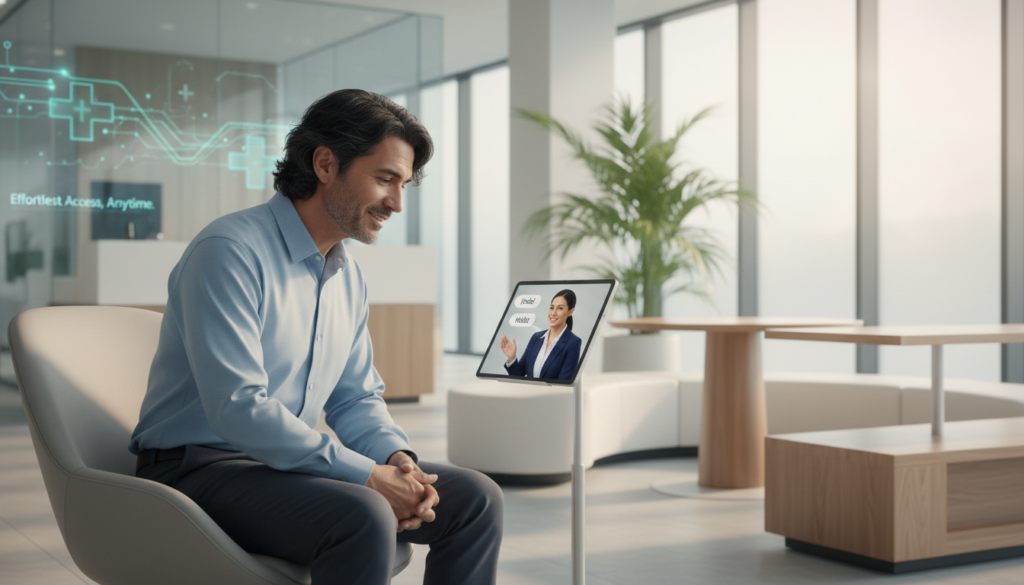
Spanish-speaking patients often wait longer than others. But, virtual check-in makes this wait disappear. They can check in on their own, making things faster for everyone.
Traditional check-in can slow things down for Spanish speakers. But, virtual check-in lets many patients check in at once. This makes things run smoother for everyone.
Patients can take their time to answer questions without feeling rushed. They don’t have to worry about holding up others or feeling embarrassed. This makes the whole process better.
This also helps your whole patient population. When Spanish-speaking patients check in quickly, your staff can focus on care. This makes your waiting room move faster and everyone happier.
Building Loyalty Through Inclusive Care
How you make patients feel is what they remember. Bilingual virtual check-in leaves a strong positive impression. It shows your facility values their community.
When patients feel welcomed, they become your advocates. They share their good experiences with others. This brings in new patients and strengthens your reputation.
Feeling understood is very important. Your facility stands out when it speaks their language. This shows you care about their needs.
Happy patients are more likely to follow treatment plans and come back for care. Your efforts to reach out to Hispanic patients improve health outcomes. It’s not just about customer service; it’s about better health.
Being inclusive builds long-term relationships. Happy patients leave positive reviews and trust your recommendations. This attracts more people to your practice and improves health in your community.
Your commitment to bilingual services shows your values. Patients notice when you really try to serve diverse populations. Virtual check-in is a big step towards better patient care that they appreciate.
Implementing Bilingual Virtual Check-In
Starting a bilingual virtual check-in platform means knowing what’s important. You need to see how the tech fits with what you already do. Your journey includes picking the right features, making sure it works with your systems, and training your team.
Each step is key to a solution that helps both your Spanish-speaking patients and your goals.
Essential Capabilities Your System Needs
Your virtual check-in must offer accurate Spanish translation with medical terms. Bad translations can confuse patients and cause problems. So, the system should use translations checked by health experts.
The platform should be easy for everyone to use. It should have clear signs and simple steps for those new to tech. It should guide users step by step without being too hard.
Look for these main features in your bilingual virtual check-in system:
- Accessibility features like text-to-speech, big fonts, and high-contrast modes for those with vision issues
- Insurance verification that lets patients show their cards and check coverage right away
- Digital signature collection for forms and permissions
- Photograph capture for accurate patient ID and records
- Payment processing for safe copay collection before visits
- Real-time updates that tell staff when patients finish check-in
- Multilingual support for other languages in your area
The best systems also let you customize questions and forms for your needs. This way, the tech fits your practice, not the other way around.
Connecting with Your Current Infrastructure
Getting your EHR to work with the virtual check-in is key. Your system must talk well with your EHR, practice management, and billing. Without this, you’ll face double work, errors, and unhappy staff.
The tech should work with your systems automatically. Patient info from check-in goes straight into your EHR. Changes to insurance or medical history show up right away in records.
| Integration Component | Function | Staff Benefit | Patient Impact |
|---|---|---|---|
| EHR Synchronization | Automatic data transfer to patient charts | Eliminates duplicate data entry | Reduces registration time by 60% |
| Practice Management Link | Real-time appointment confirmation | Streamlines scheduling workflow | Provides immediate check-in confirmation |
| Billing System Connection | Copay processing and insurance verification | Reduces billing errors by 45% | Transparent cost information upfront |
| Patient Portal Integration | Unified access to health information | Centralized communication platform | Single login for all patient services |
Work with vendors who know your EHR well. Ask for examples of successful integrations like yours. Find out about their support and how long it takes to fully integrate.
The vendor should have experts who work with your IT team. They’ll solve problems, set up data flow, and check everything works right.
Preparing Your Team for Success
Even with bilingual virtual check-in, your team needs training. They must know how to use the system and help patients.
Training should cover how to start the check-in, help patients, and solve common problems. Your team should be ready to help patients who need extra help.
They also need to know how to fix common issues like tech problems. Quick fixes keep things running smoothly and patients happy.
Teach your team to handle questions the system can’t answer. They should know how to help with insurance or special requests. They need clear steps to follow.
Most importantly, show them how the virtual check-in helps them focus on patients. When they see it as a tool, not a chore, they’ll support it more.
Have regular training and make quick guides for staff. Encourage them to share tips. This way, everyone gets better at using the system and helping patients.
Cost-Effectiveness of Bilingual Virtual Check-In
Using bilingual virtual check-in can save money right away and more in the long run. Many healthcare leaders are hesitant to try new tech without seeing clear healthcare cost reduction. But, bilingual check-in systems can help in many ways at once.
Your place can save money in the first year. These systems help with big budget challenges in healthcare. They offer Spanish support without the ongoing costs of hiring people.
Reducing Staffing Needs
Finding and keeping bilingual front desk staff is hard and expensive. They often get paid 10-20% more than others. In places where Spanish speakers are rare, this cost goes up even more.
Virtual check-in means you don’t need to hire more staff for language. It handles Spanish-speaking patients on its own. Your team can focus on those who need more help.
Think about the costs of hiring one bilingual front desk person:
- Annual salary and benefits from $35,000 to $55,000, based on where you are
- Costs for job postings, screening, and interviews
- Money for training on your systems
- Challenges in scheduling to cover all hours
- Costs for time off and finding someone to cover
Bilingual virtual check-in gives language support without these costs. It works all the time, including nights and weekends. You don’t have to pay for overtime or benefits when staff is out.
This doesn’t mean you should get rid of all bilingual staff. Instead, use virtual systems for simple tasks. Your bilingual team can handle more complex needs.
Minimizing Translation Costs
Professional interpretation services are another big expense that virtual check-in cuts. When patients can do simple tasks in Spanish, you save on interpretation costs.
Interpretation services cost $50 to $150 an hour, depending on the method. While they’re key for clinical talks, they’re not needed for basic check-ins.
Virtual check-in also saves on printed forms. Traditional paper workflows need:
- Professional translation of forms
- Printing and storing forms in different languages
- Updating and reprinting forms when needed
- Managing form inventory
Digital systems update instantly for all languages. You only need to change content once. This saves money on printing and reduces version control issues.
Some places save thousands a year by using virtual check-in less. These savings grow as more patients come. The better virtual check-in experience attracts more Spanish-speaking patients.
Long-Term Financial Benefits
The ROI on patient technology goes beyond saving money right away. Most places see positive returns in 12 to 18 months. This is from saving money and getting more patients.
More patients come as word gets out about your welcoming services. Spanish-speaking patients look for places that can speak their language. This builds your reputation and brings in more patients over time.
Collection rates go up when patients understand their bills. Bilingual virtual check-in explains costs in Spanish. Patients who get this are more likely to pay.
No-show rates drop when communication is better. Patients who can easily check in feel more at ease. They’re less likely to miss appointments because of language worries.
Consider these ongoing financial benefits:
| Financial Impact Area | Typical Improvement | Annual Value (200-bed facility) |
|---|---|---|
| Reduced no-show rates | 15-25% decrease | $75,000-$125,000 |
| Improved collection rates | 8-12% increase | $40,000-$80,000 |
| Decreased interpretation costs | 30-50% reduction for admin tasks | $25,000-$45,000 |
| Staffing optimization | Avoiding 1-2 additional hires | $70,000-$110,000 |
Billing errors go down when patients give accurate info in their language. Miscommunication can lead to wrong insurance info or missing medical history. These mistakes cost money and take staff time to fix.
Your reputation with the Hispanic community gets better with each positive experience. This leads to more referrals, repeat visits, and loyalty. The long-term value of this reputation is worth the initial cost of the technology.
Most importantly, healthcare cost reduction through bilingual virtual check-in doesn’t hurt quality or patient happiness. It lets staff focus on complex needs while tech handles simple tasks in many languages.
Enhancing Patient Engagement
Creating meaningful connections with Hispanic patients through digital tools requires thoughtful design and continuous refinement. Your bilingual virtual check-in system becomes truly effective only when patients feel comfortable using it. The best patient engagement strategies focus on removing barriers.
You must consider how varying levels of digital health literacy affect your patients’ willingness to adopt new technology. Some patients navigate smartphones effortlessly, while others struggle with basic touch screen functions. Your system should accommodate both groups without making anyone feel inadequate or frustrated.
Designing Intuitive Interfaces That Welcome Everyone
Your virtual check-in interface serves as the first digital impression patients have of your practice. An intuitive design makes the difference between technology that enhances care and technology that creates obstacles. Clear, large text in Spanish ensures readability for patients with visual impairments or limited literacy.
Simple navigation paths guide patients through each step without confusion. Every screen should present obvious next actions, eliminating guesswork about where to click or what information to provide. Visual cues and universal icons transcend language barriers, helping patients understand functions even when text alone might create uncertainty.
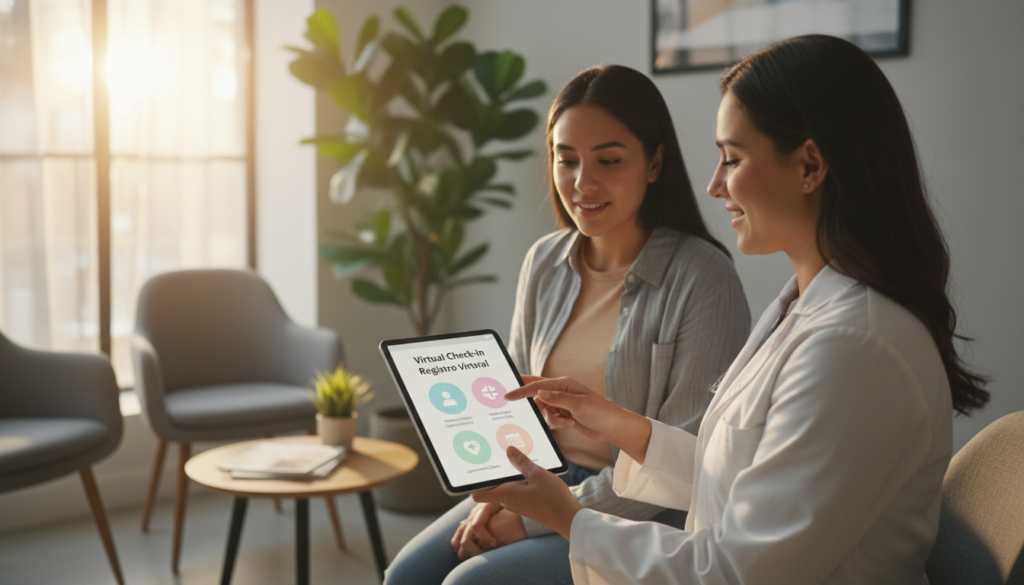
Progress indicators show patients exactly how much of the check-in process remains. This transparency reduces anxiety and helps patients budget their time appropriately. When people know they’re halfway through a five-step process, they feel more in control of their healthcare experience.
Help buttons connecting directly to bilingual staff provide essential safety nets. Patients with limited digital health literacy need reassurance that human assistance is always available. These support options should be prominently displayed on every screen, not hidden in menus or footnotes.
Cultural considerations shape how Hispanic patients perceive and interact with your system. Colors, images, and examples should resonate with their lived experiences. When patients see themselves reflected in your technology, they develop trust and confidence in using it.
Meeting Patients on Their Preferred Platforms
Your Hispanic patient outreach efforts multiply in effectiveness when you offer check-in options beyond lobby kiosks. Different patients prefer different technologies based on their comfort levels, device ownership, and usage patterns. Platform flexibility demonstrates respect for diverse patient circumstances and preferences.
Mobile apps allow patients to begin check-in from home before arriving at your facility. This convenience reduces perceived wait times and enables patients to complete forms in comfortable, private settings. Many Spanish-speaking patients prefer handling paperwork at their own pace.
Web-based portals provide desktop access for patients who prefer larger screens or share devices with family members. These platforms work well for older patients or those with vision challenges. The ability to zoom text and use full keyboards makes data entry less frustrating.
SMS-based systems accommodate patients with basic phones or limited data plans. Text message check-ins require minimal technology while streamlining your registration process. This option proves invaluable for patients from lower-income backgrounds who may not own smartphones.
By meeting patients wherever they are technologically, you maximize adoption rates across diverse populations. Your patient engagement strategies should never assume universal access to the latest devices or high-speed internet connections.
Building Feedback Loops for Continuous Improvement
Collecting patient input about their check-in experience transforms your system from static software into an evolving solution. Simple post-check-in surveys in Spanish reveal what works well and what creates confusion. Direct feedback from the people using your technology provides insights no amount of planning can predict.
These surveys help you identify confusing questions that seemed clear during system design. Technical glitches often emerge only when real patients use your platform under actual clinic conditions. Areas where patients need more support become obvious when you systematically gather their experiences.
This feedback loop allows you to refine your system continuously based on actual usage patterns. You can adjust language clarity, simplify navigation paths, and add help resources where patients consistently struggle. Regular updates demonstrate your commitment to serving Spanish-speaking patients effectively.
Your goal is ensuring technology truly meets patient needs. When Hispanic patient outreach includes listening to feedback and making responsive changes, patients recognize your genuine commitment. This responsiveness builds loyalty and encourages technology adoption among even the most hesitant users.
Measurement matters in improving digital health literacy across your patient population. Track completion rates, time-to-completion, and help button usage to identify friction points. These metrics guide your improvement priorities and demonstrate return on investment to stakeholders.
Addressing Possible Challenges
Knowing the hurdles you might face with bilingual virtual check-in helps you get ready. This tech makes getting to the doctor easier, but you must watch out for problems. Being ready helps avoid big issues with patient care.
Every system has weak spots that need your attention. To succeed, think ahead, have backup plans, and work well with tech vendors. This way, you keep patients safe and your practice running smoothly.
Technical Obstacles and Solutions
Your bilingual virtual check-in system needs to be reliable. Internet problems are common and can stop the check-in process. Have backup plans so staff can use old ways when the internet is down.
Devices can break, like kiosks or tablets. Keep extra devices and teach staff to fix simple problems. This cuts down on wait times and keeps patients happy.
Software bugs can be really frustrating, like when they mess up translations. Your Spanish patients need accurate translations. Make sure you have quick tech support to fix these problems fast.
Problems with data syncing between systems can be a big issue. These need IT help to fix. Test everything well before you start using it, like you would with revenue cycle management challenges.
- Connectivity backup: Have plans for when the internet goes out
- Hardware redundancy: Keep extra devices ready and have a plan to swap them out fast
- Vendor relationships: Keep in touch with your tech providers to solve problems quickly
- Regular testing: Check your system every week to find problems before they affect patients
- Staff training: Make sure your team can fix common tech issues on their own
Setting Realistic Patient Expectations
Not all patients like new tech. Some like talking to people, while others find tech scary. It’s important to let them know it’s an option, not a must.
Let patients know they can get help from staff if they need it. This shows you care about them and offer tech options too.
Be clear about what the system can do. It’s good for simple tasks but can’t replace talking to a doctor. Tell patients they’ll see real people for important talks.
Helping patients get used to new tech is key. First-timers might need more help, which is okay. Be patient with them as they learn.
Protecting Patient Information
Keeping patient data safe is a big job. Your virtual check-in system must protect patient info just like paper records. You can’t skip this part.
The tech you pick must follow HIPAA rules and keep data safe. Use encryption to keep data safe while it’s moving. Make sure only the right people can see patient info, and keep track of who looks at it.
Healthcare data breaches cost a lot, so keeping data safe is very important.
Tell your Spanish patients how their info is used in a way they can understand. Be clear and simple. Being open builds trust and shows you respect their privacy.
Check your security often to find and fix problems before they happen. Do this every few months. Keeping data safe is an ongoing job, not just a one-time thing.
- Vendor vetting: Pick tech providers known for their security
- Encryption standards: Make sure all data is encrypted properly
- Access controls: Limit who can see patient data to just the right people
- Bilingual notices: Give privacy info in both English and Spanish
- Incident response: Have a plan ready for when security problems happen
Choosing good vendors helps avoid big security problems and keeps patients trusting you. Do your homework on vendors before you decide. Ask about their security, if they follow rules, and if they’ve had any problems before.
Remember, keeping patient info safe is not just about tech. Make sure kiosks and tablets are in safe places. Your plan for keeping data safe includes both tech and physical steps.
Real-World Success Stories
Numbers and features are important, but nothing shows the value of bilingual virtual check-in like real healthcare success stories. Real medical facilities have seen the benefits of this technology. They show you what to expect when you use bilingual virtual check-in.
This technology does more than just add something new. It helps facilities overcome language barriers and work more efficiently. These stories show how this technology can help your bottom line and improve your community relationships.
A Community Hospital Transforms Patient Access
A mid-sized community hospital in Texas had a problem you might know. Their clinics served a growing Hispanic population. But, they had few Spanish-speaking medical staff.
This made Spanish-speaking patients wait 15-20 minutes longer than English-speaking ones just to register.
The hospital put in bilingual virtual check-in kiosks in their main clinic and three satellite locations. They saw big results. In the first month, 68% of Spanish-speaking patients used the kiosks instead of the desk.
Check-in time dropped to under 3 minutes for kiosk users. The bilingual staff could focus on complex needs, not just data entry. This let them offer more personalized healthcare support.
The six-month evaluation showed great gains:
- Patient satisfaction among Hispanic patients went up by 23 points
- Spanish-speaking patient appointments rose 15% through word-of-mouth
- Front desk staff productivity went up by 28%
- Registration errors fell by 41%
The hospital administrator said the technology paid for itself in eight months. Your facility could see similar benefits by addressing language barriers.
What Patients Are Saying
Numbers tell one story, but patient voices tell another. Spanish-speaking patients felt respected and welcome. Their feedback showed emotional benefits that numbers alone can’t capture.
One patient shared her experience:
“For the first time, I didn’t feel embarrassed about my English. The kiosk let me answer questions in Spanish without worrying about being understood. I felt respected and welcome from the moment I walked in.”
Another patient talked about the practical benefits:
“I used to bring my daughter to translate, which meant she had to miss school. Now I can check in myself in five minutes. It’s changed everything about how I access healthcare.”
Many patients recommended the hospital to family and friends because of the bilingual check-in. This word-of-mouth marketing helped build trust in the Spanish-speaking community. When you remove language barriers, you create advocates for your practice.
Patients also appreciated the consistent digital experience. Unlike interactions that varied, the kiosk provided the same clear, respectful experience every time.
Facility-Wide Improvements
The benefits went beyond just Spanish-speaking patients. The whole facility worked better thanks to patient flow optimization.
English-speaking patients also waited less. With fewer people at the front desk, waiting room congestion fell by 35% during peak hours. Streamlining one part of the system helps everyone.
The hospital found several unexpected advantages:
- Improved data quality: Patients entering their own information reduced transcription errors
- Better resource allocation: Spanish-speaking medical staff could focus on clinical care
- Reduced stress levels: Front desk staff felt less overwhelmed during busy times
- Enhanced appointment adherence: Clearer communication led to fewer missed appointments
Staff morale improved a lot. When staff can focus on meaningful interactions, job satisfaction goes up. This creates a positive cycle that strengthens your entire operation.
The hospital also saw deeper efficiencies. They processed 22% more patients during peak hours without adding staff or extending hours. Your facility could unlock similar capacity by removing friction from the check-in process.
These healthcare success stories show bilingual virtual check-in is a win-win-win. Spanish-speaking patients get care in their language. English-speaking patients wait less and operations run smoother. Your staff can focus on higher-value interactions.
When you use this technology wisely, you’re not just adding a feature. You’re changing how your facility serves your community. The results are clear: better satisfaction, increased efficiency, and stronger patient relationships.
Future of Bilingual Virtual Check-In
Healthcare tech is getting better, making your bilingual front desk even more useful. Soon, virtual check-in will be easier, safer, and more patient-friendly. Knowing what’s coming helps you make smart choices for your facility’s future.
Healthcare tech changes fast. Providers who keep up offer better patient care. New features will fix old problems and add cool new stuff.
Emerging Trends in Healthcare Technology
New tech trends are changing how patients first connect with your facility. Voice-activated systems are a big step forward. They let Spanish-speaking patients check in just by talking.
This helps those who can’t type well or have trouble moving. They just talk in Spanish, and the system gets it.
Biometric identification makes checking who patients are easier. You’ll use face scans or fingerprints instead of ID numbers. It’s faster and more accurate for everyone.
Blockchain could change how you keep patient data safe. It makes records secure and lets you share them easily. Patients will feel safer with their info.
Augmented reality could show patients where to go after check-in. Imagine using your phone to see arrows pointing the way. It’s like having a personal guide.
Wearables can send health info to your system. Fitness trackers and smartwatches can send your vital signs. It’s easier for patients and gives you more info.
Predictions for Multilingual Support
Future systems will support many languages, not just English and Spanish. Multilingual support will grow to include dozens of languages. It will know which language to use based on what you’ve done before.
Real-time translation will get better. It will understand different ways of speaking, like from Mexico City or Puerto Rico. It will sound natural.
Cultural customization will make communication even better. It won’t just translate words. It will also adjust how it talks and looks to fit your culture. It will feel more like home.
Your bilingual front desk will become a digital concierge for many languages. This change will help you serve more people without needing more staff.
- Automatic language detection based on patient history and preferences
- Support for 30+ languages covering 95% of your patient population
- Dialect-specific translations for authentic communication
- Cultural adaptation of interface design and messaging
- Seamless switching between languages for multilingual families
The Role of AI in Healthcare Communication
AI will make virtual check-in smarter and more helpful. AI-powered systems will understand what patients mean. They’ll ask the right questions, just like a human.
These systems will spot problems right away. If a patient mentions something new, the AI will tell your team. This helps everyone get ready for the visit.
AI can even guess what patients might need before they say it. It looks at their appointment, medical history, and past visits. This makes visits better and more satisfying.
Personalization from AI will make each visit special. It will remember how you like things. If you need big text, it will give it to you. If you like quick answers, it will give those too.
Natural language processing will make AI talk like a person. It will understand and respond in Spanish as well as English. It will feel like talking to a friend, not a machine.
| AI Capability | Patient Benefit | Provider Advantage |
|---|---|---|
| Intelligent follow-up questions | More thorough information collection without repetition | Better-prepared appointments with complete patient data |
| Issue flagging and alerts | Urgent concerns addressed promptly | Proactive identification of patients needing immediate attention |
| Predictive needs analysis | Relevant prompts about health topics to discuss | More productive appointments covering important issues |
| Personalized experience | Comfortable, familiar interaction tailored to preferences | Higher completion rates and more accurate information |
These technologies together will make virtual check-in amazing. Your investment in bilingual check-in today will prepare you for these future advancements.
Compliance and Regulations
Your bilingual virtual check-in system must follow strict rules about patient data and language access. These laws protect vulnerable people and keep your facility safe. Knowing these rules helps you use technology well for Spanish-speaking patients and keeps your organization safe.
There are many rules from the federal and state governments. You must handle privacy, language access, and technology standards together. This way, your bilingual check-in system improves care without legal risks.
Protecting Patient Information in Digital Systems
HIPAA compliance is key for your virtual check-in technology. The Health Insurance Portability and Accountability Act has strict rules for patient health info. Your system must have strong security to meet these rules.
Your tech vendor should offer robust security features to keep patient data safe. These features create strong security layers to stop unauthorized access and data breaches.
- Encryption protocols that protect data during and after transmission
- Secure authentication systems that check patient identity without privacy loss
- Automatic logoff functions to stop unauthorized viewing after inactivity
- Comprehensive audit logs that track all system access and data changes
- Business associate agreements with vendors who handle your patient info
You are always responsible for HIPAA compliance, even with third-party systems. Make sure vendors meet all security standards before use. Also, place kiosks where passersby can’t see sensitive info on screens.
Meeting Language Access Obligations
Title VI of the Civil Rights Act has rules for healthcare facilities getting federal money. These laws require you to help patients who don’t speak English well. Your bilingual virtual check-in shows you care and improves patient experience.
But, technology alone can’t meet all your language needs. Your Hispanic patient outreach plan must cover many parts of the patient journey. Virtual check-in is just one part of a bigger plan.
Your language access program should include:
- Professional interpreters for clinical talks and informed consent
- Translated important documents like consent forms and patient rights notices
- Staff training on working with patients who speak little English
- Signs and wayfinding in Spanish and other common languages
- Regular checks on community language needs and service quality
Language access is more than just translation. You must make sure Spanish-speaking patients understand medical info and can make healthcare decisions. This approach strengthens your outreach to Hispanic patients and follows federal rules.
Navigating Additional Legal Requirements
Multilingual platforms bring extra legal issues beyond HIPAA and Title VI. You must handle several areas to protect patients and your organization. These rules vary by state and facility type, so getting legal advice is key.
Important legal issues for your bilingual system include:
- Informed consent processes: Make sure patients can give consent in their preferred language for all treatments
- Medical malpractice prevention: Address risks from miscommunication or translation errors that could harm patients
- ADA accessibility compliance: Check if your technology meets Americans with Disabilities Act for patients with vision, hearing, or mobility issues
- State-specific regulations: Look into extra language access laws in your area beyond federal rules
- Documentation standards: Keep records showing how you helped with language and got consent
Translation accuracy is very important in healthcare. Mistakes in translating medical terms or instructions can harm patients and lead to legal trouble. Use professional translation services that focus on healthcare content, not just automated tools.
Healthcare organizations must see that providing language access is not just a legal duty. It’s also key to delivering quality care that respects everyone’s dignity and rights.
Your state might have extra rules beyond federal laws. Some states require specific interpreter qualifications or need facilities to check language needs regularly. Find out what your local laws are to follow them all.
Working with a lawyer who knows healthcare rules helps you navigate this complex area. A lawyer can check your bilingual check-in setup for any risks before they become big problems. This way, you protect your patients and keep your organization safe from legal issues.
Conclusion: Transforming Patient Experience
Your facility is at a key decision point. The Spanish-speaking population in the U.S. is growing. Bilingual virtual check-in is a smart solution for them.
Key Advantages Reviewed
This tech brings big benefits to your practice. It helps you manage staff better without losing quality. Patients wait less because they fill out forms themselves.
Errors go down when patients enter their own info. Your team can focus more on patient care. This makes patients happier and more satisfied.
By using their preferred language, patients feel more welcome. Your facility becomes more attractive to Hispanic communities. You also save money by working more efficiently.
Building Equitable Healthcare Access
Inclusive healthcare shows you care for everyone. Language barriers can block good care. Your choice to use bilingual virtual check-in shows respect for all languages.
This builds trust with communities that had trouble getting care. It’s a big step towards fairness in healthcare.
Your Next Steps Forward
First, look at your patient data and see what you need. Ask vendors to show you their bilingual virtual check-in. Think about how it could save you money and time.
Get your team involved in choosing the right system. Set clear goals and deadlines for when you want to start. By choosing modern tech, you welcome every patient in their own language.


