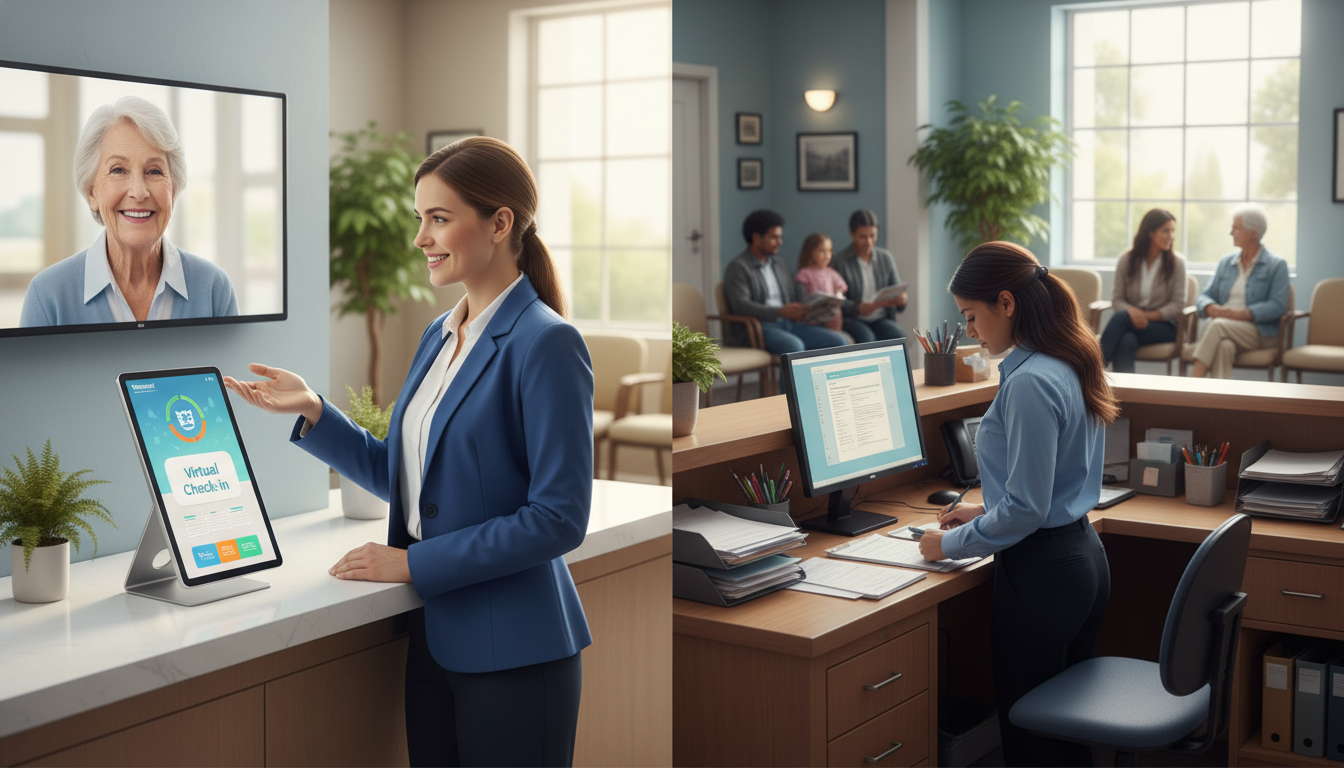
Did you know that 67% of patients would switch healthcare providers for a better digital experience? This shows how much patient expectations have changed.
Your practice needs to decide on patient registration. Should you use remote check-in, keep your current front desk, or mix both?
This choice isn’t just about following trends. It’s about matching your patient intake process to your practice’s needs and goals.
Healthcare facilities are changing how patients arrive and register. Digital solutions are becoming more popular.
In this article, we’ll look at both options in detail. You’ll see the good and bad of each. Most importantly, you’ll learn how to choose the right solution for your practice.
There’s no one-size-fits-all answer. Your ideal solution depends on your unique circumstances.
Key Takeaways
- Patient expectations for digital experiences are driving changes in healthcare registration processes nationwide
- The decision between digital and traditional registration systems should align with your practice’s specific operational needs
- Remote check-in technology and front desk operations each offer distinct advantages for different practice types
- Factors like practice size, patient demographics, and budget significantly influence which approach works best
- Hybrid solutions combining both methods may provide the optimal balance for many healthcare facilities
- No single registration approach fits every practice, making careful evaluation essential for your decision
Understanding Virtual Check-In Technology
Healthcare is now using digital solutions to change how patients start their visit. This change helps manage patient flow better and makes visits smoother. Knowing how these systems work can help you decide if they’re right for your practice.
Going from paper to digital is more than just making things easier. It’s a big change in how you collect info, manage work, and respect patient time. As healthcare focuses more on patients, the tools for intake must change too.
What is Virtual Check-In?
Virtual check-in lets patients do registration, update info, and confirm appointments online. These systems fit different practices and patient needs.
Patients can use apps, web portals, or kiosks in your waiting room. They start the check-in at home, saving time on paperwork in your lobby.
Most systems work well with your current software. This means info goes straight into patient records without typing it in. It handles insurance checks and medical history updates, making intake smoother.
How Does Virtual Check-In Work?
The process starts 24 to 48 hours before the visit. Your system sends a text or email with a link to forms.
Patients fill out the forms on their device at their own pace. They can check insurance, confirm meds, and answer health questions without rush. The system sends this info to your records right away.
When patients arrive, they text staff to let them know. A virtual receptionist tells the right team the patient is ready. There’s no waiting or repeating questions they’ve already answered online.
The tech does many important things behind the scenes. It checks insurance, flags missing info, and updates schedules. This means your team always has the right info ready.
“Healthcare organizations that use digital intake solutions see up to 40% less work for the front office. Staff can then focus on more important patient interactions.”
Benefits for Patients and Staff
Virtual check-in saves patients a lot of time. They no longer spend 15-20 minutes on paperwork in the waiting room. This makes visits shorter and less stressful.
It also makes patients feel safer. They can enter personal info at home, not in a crowded waiting area. This leads to better health answers and care.
Staff benefits too. They have less paperwork to do, which means fewer mistakes and more time for important tasks. Here are the main benefits for your team:
- Reduced administrative burden: Staff help patients more because they’re not stuck on paperwork
- Improved data accuracy: Patients enter their own info, reducing errors
- Better resource allocation: Your team can focus on care, not just paperwork
- Enhanced workflow efficiency: Systems automatically send info to the right places, cutting down on manual steps
- Decreased wait times: Faster check-in means your schedule stays on track
The tech also helps departments talk better. When patients register online, everyone gets the info right away. This seamless information flow cuts down on delays.
Most importantly, digital check-in makes your practice look modern and tech-savvy. Patients expect the same digital ease in healthcare as they do in other areas. Meeting these expectations shows your practice is forward-thinking and cares about patients.
The Role of the Traditional Front Desk
Even with new tech, your front desk team is key to your practice’s smooth operation. They handle patient relations, admin tasks, and keep things running. Their role is vital to your practice’s success.
What Services Do They Provide?
Your front desk team does a lot every day. They welcome patients, check them in, and handle payments. They also manage appointments and answer phones.
They keep the waiting room nice and manage patient expectations. They talk to patients and doctors, and handle records and billing. Their work is complex and important.
They make sure patients are comfortable and informed. They handle urgent needs and special situations. Their work includes managing records, referrals, and billing questions.
| Service Category | Specific Tasks | Frequency | Impact on Practice |
|---|---|---|---|
| Patient Reception | Greeting, check-in, verification, payment collection | Every patient visit | First impression, revenue capture |
| Communication Management | Phone answering, message taking, appointment confirmation | 50-200 calls daily | Patient satisfaction, accessibility |
| Scheduling Coordination | Appointment booking, rescheduling, cancellation management | Continuous throughout day | Provider efficiency, revenue optimization |
| Administrative Support | Insurance verification, referral processing, records requests | Multiple times daily | Compliance, reimbursement success |
The Importance of Personal Interaction
Face-to-face interactions are unique and valuable. They build trust and comfort, which tech can’t match. Your team understands nonverbal cues that tech misses.
Elderly and non-English speaking patients benefit from real people. They find comfort in the empathy of your team. These interactions are key to patient loyalty.
“The warmth and compassion shown by front desk staff can transform a patient’s entire healthcare experience, turning anxiety into confidence and confusion into clarity.”
Personal interaction builds patient loyalty in ways tech can’t. Your team remembers patients, asks about their families, and makes them feel welcome. This loyalty keeps patients coming back.
The front desk is your practice’s problem solver. They handle insurance issues and scheduling conflicts with ease. They adapt to each patient’s needs.
Challenges Faced by Front Desk Staff
Your reception team faces big daily challenges. High call volumes during peak morning hours stress them out. They juggle phones and patients, leading to long waits and unhappy patients.
Dealing with upset patients is tough. They handle complaints about wait times and billing. The emotional labor of maintaining professionalism under pressure is hard.
Repetitive tasks lead to burnout. Entering the same info into systems and answering the same questions is boring. It lowers job satisfaction and increases turnover.
Understaffing makes things worse. When team members are out, the remaining staff struggle. This leads to longer waits, missed calls, and errors.
Many practices consider front desk outsourcing to solve staffing issues. Outsourcing can reduce costs and keep service levels up during busy times.
Training new staff is a big challenge. It takes time for them to learn your systems and protocols. This requires patience and investment from your team.
Comparing Efficiency: Virtual vs. Traditional
Your practice’s efficiency depends on its check-in system. It affects daily operations, patient volume, and staff resources. Virtual and traditional methods differ in managing time, personnel, and patient flow.
Each system has its own strengths. Virtual solutions are great in some areas, while traditional methods shine in others. The key is to match the right approach to your practice’s needs.
Speed of Service
Check-in time affects patient satisfaction and practice throughput. Virtual receptionist healthcare systems can cut check-in time from 10-15 minutes to 2-3 minutes. This saves time and reduces waiting room frustration.
Remote check-in lets patients fill out paperwork at home. They arrive ready to go, saving time for the front desk.

But, traditional methods can be faster for some patients. Tech-savvy patients and regulars with no changes can check in quickly. This personal touch is valuable.
The speed advantage depends on several factors:
- Patient familiarity with your practice and systems
- Complexity of required paperwork and forms
- Technology comfort level among your patient base
- Staff training and efficiency at the front desk
- Quality of your virtual platform’s user interface
The average medical practice loses 23% of revenue due to inefficient check-in processes and scheduling gaps.
Resource Allocation
Staff deployment affects your practice’s costs and service quality. Virtual solutions let you focus staff on patient care and clinical support. Your team can focus on patient care, clinical support, and relationship building instead of paperwork.
Traditional front desks need dedicated staff for check-ins, phones, and scheduling. They handle everything, but may be overwhelmed during busy times.
Remote check-in shifts work to patients, freeing staff for complex cases. This allows for better patient service.
Consider how each approach affects your staffing needs:
| Resource Factor | Virtual Check-In | Traditional Front Desk |
|---|---|---|
| Staff Requirements | Reduced by 30-40% for check-in tasks | Full-time dedicated personnel needed |
| Peak Hour Management | Automated scaling handles volume spikes | May require additional temporary staff |
| Task Flexibility | Staff redirected to clinical support roles | Staff tied to desk during all hours |
| Training Investment | Initial high, then minimal ongoing | Continuous training for new hires |
Virtual systems reduce overtime and temporary staff costs. Your practice gains predictable staffing costs with fewer variables affecting your budget.
Patient Flow Management
Managing patient arrival patterns is key. Virtual systems smooth out arrivals with staggered digital check-ins. This reduces lobby congestion and improves the environment.
Remote check-in platforms update appointment status in real-time. This helps manage delays and keeps the waiting room calm.
Traditional methods offer flexibility for walk-ins and last-minute changes. A skilled front desk can handle emergencies and schedule adjustments.
Your practice throughput depends on these patient flow considerations:
- Appointment Spacing: Virtual systems optimize intervals based on data and appointment types
- No-Show Management: Automated reminders reduce no-shows by 35-40%, improving schedule utilization
- Queue Visibility: Real-time dashboards show patient status, enabling proactive delay management
- Flexibility Balance: Traditional desks excel at accommodating urgent insertions and special circumstances
The impact on your operational rhythm is clear within weeks. Virtual systems create predictable patterns. Traditional approaches handle unexpected situations well.
Your choice between these approaches should align with your patient demographics and practice specialty. High-volume practices benefit from virtual efficiency. Specialty practices may need the personal touch of traditional front desks.
Both systems can work together in a hybrid model. Use remote check-in for routine appointments and traditional front desk for new patients or complex cases. This balance maximizes efficiency without losing the personal connection that builds patient loyalty.
Patient Experience: Preference Insights
Real patient preferences show surprising insights. They don’t just love tech or hate it. Their choices depend on their personal needs and comfort levels.
Understanding these preferences helps you make better choices. Your practice serves a unique community. Let’s see what research says about what patients want.
What Recent Studies Tell Us About Patient Preferences
Studies show a split in check-in preferences. Younger patients between ages 18-45 prefer digital options. They like speed and can fill out forms from home.
But, patients with chronic conditions prefer digital for its ease. They’ve filled out forms many times and want to avoid doing it again.
Older patients, though, prefer talking to someone in person. They worry about tech errors and privacy. They like the reassurance of speaking with a real person.
Patient engagement isn’t about forcing everyone onto the same platform—it’s about providing options that meet people where they are in their healthcare journey.
First-time visitors often prefer talking to someone in person. They have questions about forms and insurance. They feel secure getting answers right away.
Key Elements That Shape Patient Choices
Several factors influence patient choices. Convenience is the top priority for all. Patients want the fastest way to see their provider.
Privacy is also a big concern. Some worry about sharing sensitive info on public devices. Others feel safer using digital forms.
Technology comfort level is a big divide. Tech-savvy patients quickly adopt medical tech. Those less familiar face real barriers.
Language barriers affect preferences too. Non-native English speakers often prefer talking to staff. But, some digital systems help them better than in-person talks.
Disability accommodations are key. Patients with vision impairments like digital forms that can be read aloud. Those with mobility issues prefer to fill out forms before arriving.
The reason for the visit also matters. Patients visiting for routine follow-ups prefer virtual check-in. But, those with new or complex issues often want to talk to staff first.
| Patient Group | Preferred Check-In Method | Primary Reason | Satisfaction Rate |
|---|---|---|---|
| Ages 18-45 | Virtual/Digital | Speed and convenience | 82% |
| Ages 65+ | Traditional Front Desk | Personal interaction and assistance | 76% |
| Chronic Condition Patients | Virtual/Digital | Reduced repetition of information | 85% |
| First-Time Visitors | Traditional Front Desk | Ability to ask questions immediately | 71% |
How Age and Background Affect Technology Acceptance
Age is a big factor in tech adoption. But, it’s not just young people who like tech. Older people might just need more time to get used to it.
Socioeconomic factors also play a role. Wealthier patients are more comfortable with digital tools. They have better devices and internet. Poorer patients might use their phones for calls and texts, not apps.
Where you live affects your tech use too. Urban and suburban areas see more virtual check-in use. Rural areas have different concerns about internet and data security.
Rural patients worry about internet reliability and data security. They value personal relationships with staff. These relationships take years to build.
Cultural background also matters. Some cultures value personal relationships in healthcare. Others prefer efficiency and privacy. Both are valid and should be respected.
Educational background affects tech adoption, but not as much as you might think. College-educated patients adopt digital check-in faster. But, with clear instructions, high school-educated patients catch up in six months.
The most important finding is that patients value choices. When you offer both digital and traditional options, satisfaction goes up. Patients feel respected and accommodated.
Some patients choose different methods for different visits. They might use virtual check-in for routine visits but prefer talking for complex issues. This shows that the question is not which system is better, but how to offer both well.
Cost Considerations: Virtual vs. In-Person
Virtual check-in systems and traditional front desks have different costs. You need to look at both the initial cost and ongoing expenses. This helps you plan your budget and set realistic expectations.
When choosing a check-in system, consider many costs. Each option has its own expenses that affect your budget differently.
Initial Setup Costs
Setting up virtual check-in technology involves several costs. Software licensing can cost between $100 and $500 per provider monthly. You’ll also need to pay annually with tiered pricing.
Hardware costs add to your initial budget. You’ll need tablets or kiosks for $500 to $2,000 each. The number of devices depends on your patient volume and office layout.
Integrating with your existing system is a big variable cost. Simple integrations might cost around $1,000, while complex ones can be $10,000 or more. Staff training is also a one-time cost.
Setting up a traditional front desk has different costs. You’ll need to hire and train staff, which includes recruitment and initial training. You’ll also need to set up the workspace, including furniture and computers. Phone systems can cost between $1,500 and $5,000 for multi-line setups.
Ongoing Operational Costs
Virtual systems have ongoing costs you need to budget for. Software subscriptions and technical support contracts add up. You’ll also need to budget for updates and security patches.
Traditional front desks have higher ongoing costs. Salaries and benefits for full-time employees range from $30,000 to $45,000 annually per person. Most practices need at least two staff members to cover hours and provide backup.
Training your team is important to keep them updated. You’ll also need to budget for physical space maintenance, including utilities and renovations. These costs add up over time.
Front desk outsourcing is a cost-effective option. It reduces salary expenses while keeping human interaction. Outsourcing providers handle tasks remotely, saving on workspace costs while providing professional service.
Healthcare business process outsourcing offers flexibility. You can adjust staffing levels based on patient volume changes throughout the year.
Return on Investment Analysis
Calculating your ROI helps justify switching to virtual check-in systems. Most practices see positive returns within 12 to 18 months with moderate to high patient volumes. The key is understanding where savings come from.
Reduced staffing needs are a big savings. Virtual systems can cut front desk personnel by 30-50%, saving on salaries, benefits, and training.
Fewer errors also save money. Automated data entry reduces insurance claim rejections and billing mistakes. Each error saved saves time and prevents revenue delays.
Virtual check-in improves patient flow. It allows for 2-3 more appointments daily. This increase in capacity boosts revenue without extending hours.
Automated reminders reduce no-shows. Studies show text and email reminders cut no-shows by 20-30%. Each no-show prevented saves appointment slots and boosts provider productivity.
| Cost Category | Virtual Check-In | Traditional Front Desk | Front Desk Outsourcing |
|---|---|---|---|
| Initial Setup | $3,000-$15,000 (software, hardware, integration) | $5,000-$12,000 (hiring, workspace, equipment) | $500-$2,000 (minimal setup) |
| Annual Operating Costs | $15,000-$25,000 (subscriptions, support, updates) | $65,000-$95,000 (2 staff salaries and benefits) | $30,000-$50,000 (service fees) |
| ROI Timeframe | 12-18 months for medium-high volume practices | N/A (baseline comparison) | 6-12 months depending on practice size |
| Scalability | High (add users with minimal cost increase) | Low (requires hiring additional staff) | Medium (flexible service tiers available) |
Consider hidden costs and benefits when analyzing your financial situation. Virtual systems save on paper, postage, and storage. They also improve data security, which can lower insurance premiums and compliance costs.
Patient satisfaction improvements lead to better retention and referrals. These factors contribute to long-term growth. Higher patient volumes from positive word-of-mouth increase your ROI over time.
Implementation Challenges for Virtual Check-Ins
Virtual check-ins have many benefits, but they come with big challenges. These challenges include technical issues and staff resistance. You need a good plan and patience to overcome them.
Knowing these challenges helps you prepare better. The best practices are those that plan well and are patient.
Technical Obstacles That Demand Attention
One big challenge is making virtual check-ins work with your current software. Old systems often lack modern APIs, making data transfer hard. This can lead to problems like duplicate records or missing info.
Wi-Fi issues are another big problem. Your waiting room might have spots where phones can’t connect. This makes patients and staff frustrated.

Keeping patient data safe is also a big challenge. You must make sure all data is encrypted and meets HIPAA rules. This includes secure storage and access controls.
System downtime and bugs will happen, but you need a good support team. They should be able to fix problems fast, even when it’s busy.
Many practices underestimate the tech needed for virtual check-ins. It’s not just the software. It’s your whole digital setup working together.
Preparing Your Team Through Comprehensive Training
Your staff needs more than just basic training. They must learn to help patients with technology. This is a big change for them.
Good training covers many areas:
- Using the virtual check-in software on different devices
- Helping patients without making them feel embarrassed
- Fixing common tech problems fast
- Handling both digital and traditional check-ins
- Keeping patient info safe and private
Staff will meet patients at all tech levels. They need to be patient and helpful. They used to just enter data, now they need to help and solve problems.
Plan for ongoing training. As your system updates, your staff needs to learn new things. This keeps them up to date.
Navigating Patient Resistance and Building Acceptance
Getting patients to use virtual check-ins can be hard. Some will like it right away, but others won’t. Older adults and those who like talking to people might prefer the old way.
You need to teach patients in many ways. Here are some ideas:
- Send emails with instructions and pictures before their visit
- Post videos on your website and social media
- Put up clear signs in the waiting area
- Offer phone help for those who need it
- Have staff ready to help during the change
Tell patients about the benefits, like shorter waits and less chance of getting sick. But don’t make those who prefer the old way feel bad.
Keep traditional check-in options available during the change. Forcing everyone to use the new system too soon can hurt your reputation. A slow, patient approach helps everyone get used to it.
| Challenge Category | Common Issues | Impact Level | Resolution Timeline |
|---|---|---|---|
| Technical Infrastructure | Integration failures, connectivity problems, security gaps | High | 2-6 months |
| Staff Training | Role confusion, skill gaps, resistance to workflow changes | Medium-High | 3-4 months |
| Patient Acceptance | Technology hesitation, preference for personal interaction, confusion | Medium | 6-12 months |
| Ongoing Support | System updates, troubleshooting demands, user assistance needs | Medium | Continuous |
Seeing challenges as chances to improve is key. Your practice will grow stronger by tackling tech issues, training staff well, and listening to patients. Practices that rush without planning well will struggle.
The Impact on Practice Management
Choosing between virtual and traditional check-in systems changes how your practice works every day. It affects more than just the front desk. It touches every part of your workflow.
With virtual receptionist healthcare solutions, you’re not just changing how patients arrive. You’re changing the heart of your admin work. This change affects how you schedule, handle data, and run your practice from start to finish.
Managing Appointments More Effectively
Virtual check-in makes your scheduling system much better. It updates your calendar in real-time. This means you always know who’s there and who’s late.
Virtual systems update appointment statuses automatically. Your software shows where patients are and how long they’ll wait. This saves staff time every day.
At the front desk, staff must mark patients as arrived manually. This creates delays between when patients arrive and when your system shows it. During busy times, this can cause scheduling problems and longer waits.
Analytics are another big difference. Virtual systems track when patients arrive on time or late. You can use this info to plan better, send reminders, or add extra time when needed.
Maintaining Accurate Patient Information
When patients enter their own info, data quality gets better. Virtual systems keep an audit trail of every change. This makes it clear who did what and when.
Transcription errors drop because info goes straight from patient to system. Traditional methods involve staff typing from handwritten forms, which can lead to mistakes. Each step increases the chance of errors affecting billing and treatment.
Digital systems make version control easy. Patients always fill out the latest forms. The system keeps old versions and ensures new patients get the latest info.
Finding old data is quick and easy with digital systems. You can instantly access past forms and compare them. This helps with better care and more efficient work.
Paper systems take up space and make searching hard. Finding old forms takes time. This slows down your practice.
Connecting Your Technology Systems
How well your systems work together is key. Virtual receptionist healthcare platforms often connect with other software. This makes information flow smoothly from one place to another.
With good connections, staff don’t have to enter the same info twice. A patient updating their address at check-in doesn’t mean staff have to do it again in other systems. Virtual platforms update everything automatically.
Think about how different systems need to work together:
- EHR integration: Check-in updates patient charts right away. This alerts providers to changes before the appointment.
- Billing system connectivity: Insurance checks happen automatically at check-in. This catches coverage issues before services are given, reducing denials.
- Communication platform links: Check-in sends automatic notifications to providers and staff about patient arrival.
- Analytics dashboard feeds: Check-in data goes into reporting tools. This tracks wait times, no-shows, and how well your practice runs.
Traditional methods lack these automatic connections. Staff must enter info into each system manually. This takes more time and can lead to mistakes.
The gap between systems hurts practice efficiency. Staff spend time fixing mistakes instead of caring for patients. Data gets stuck in one system, leading to incomplete records and communication problems.
| Integration Aspect | Virtual Check-In | Traditional Front Desk |
|---|---|---|
| Data Entry Points | Single entry, automatic distribution across systems | Multiple manual entries required for each system |
| Real-Time Updates | Immediate synchronization with all connected platforms | Updates require staff action with possible delays |
| Error Rate | Minimal errors due to single-source data capture | Higher error chance with each manual transfer |
| System Compatibility | API-based connections support multiple software types | Limited integration requiring workarounds or upgrades |
Your practice is like a network where check-in is a key part. Choosing virtual or traditional affects how well information moves through this network. The right choice helps your practice run smoothly.
Understanding these effects helps you see check-in solutions as part of your whole practice. The right choice supports smooth workflows, accurate data, and efficient use of resources.
Future Trends in Patient Check-Ins
Telehealth and in-office care are merging, opening new chances for check-in improvements. Your practice must grasp these trends to stay competitive. The next years will see big changes in patient interactions before, during, and after visits.
Healthcare tech is advancing quickly. These changes will deeply affect your intake processes. Knowing what’s coming will help you prepare your practice.
The Expansion of Telemedicine Services
Telehealth has become a key part of healthcare. This shift is changing what patients expect from their care. They want digital ease for in-person visits, just like with virtual ones.
The need for easy remote check-in is growing fast. Patients want to fill out forms, check insurance, and update their health history on their phones. They expect this ease whether they’re in your office or online.
Virtual receptionist healthcare systems are evolving to meet this need. These platforms now help manage both in-person and virtual visits. Your practice can use one system for all patient interactions.
These systems do more than schedule visits. They let patients switch between in-person and virtual appointments without redoing their info. This flexibility meets patients where they are and adapts to their needs.
Cutting-Edge Technology Developments
New check-in tech will feel futuristic. Several innovations are being tested in forward-thinking practices. Your practice should watch these developments to stay ahead.
AI-powered patient intake systems are a big step forward in efficiency. These systems ask follow-up questions like a skilled receptionist would. They adapt the intake process in real-time, gathering only what’s needed for each visit.
Biometric identification is making check-ins more secure and easy. Facial recognition or fingerprint scanning eliminates the need for passwords or ID cards. Patients can verify their identity quickly, reducing wait times and improving security.
Integrated symptom checkers are changing how practices prioritize care. When patients complete their remote check-in, the system checks their responses for urgent cases. Your staff gets alerts for patients who need immediate attention.
Contactless payment integration is streamlining visits. Patients can pay for their visit through the same digital platform they use for check-in. This reduces delays and improves payment rates.
Predictive analytics are changing practice efficiency. These systems analyze patterns to anticipate patient needs before they arrive. Your staff gets advance notice about patients who might need extra help or have special needs.
| Innovation | Primary Benefit | Implementation Timeline | Patient Impact |
|---|---|---|---|
| AI-Powered Intake | Personalized questioning based on responses | Available now | Faster, more relevant data collection |
| Biometric Identification | Enhanced security with convenience | 1-2 years widespread adoption | Instant identity verification |
| Integrated Symptom Checkers | Automated urgency assessment | Available now | Prioritized care for urgent needs |
| Predictive Analytics | Anticipates patient needs in advance | 2-3 years mainstream | Proactive service delivery |
The Evolution of Reception Responsibilities
Your front desk staff won’t become obsolete. Their roles will change in meaningful ways. This evolution will make their work more fulfilling and valuable.
Automation will handle routine tasks, freeing staff to focus on human tasks. Your reception team will become patient advocates instead of just data entry clerks.
Front desk staff will handle complex problems. When tech can’t solve an issue, your team steps in. They’ll deal with insurance issues, scheduling conflicts, and unique patient needs.
Care coordination will grow as a front desk function. Your staff will help patients navigate appointments, understand treatment plans, and connect with departments. This role adds value that tech alone can’t provide.
The human touch is essential for patients needing extra support. Elderly patients, those with disabilities, or those in health crises benefit from personal interaction. Your staff will identify these situations and provide the needed support.
The future of virtual receptionist healthcare is a mix of tech and human staff. Tech handles efficiency, while your team provides empathy and expertise. This mix offers the best patient experience.
Training will focus on soft skills and problem-solving. Your staff will need less data entry training and more on communication, conflict resolution, and patient advocacy. These skills will become your team’s most valuable assets.
Career opportunities for reception staff will increase in this new model. As their roles become more specialized and valuable, compensation and development paths will improve. Investing in staff evolution will pay off in retention and patient satisfaction.
Making the Right Choice for Your Practice
Your practice needs a check-in solution that fits your needs and what patients expect. Choosing between virtual and traditional depends on your practice’s unique factors.
Evaluating Your Practice Requirements
Look at your patient demographics and their tech comfort. Younger patients like remote check-in, while older ones prefer face-to-face. Also, consider your office size.
Smaller offices do well with virtual receptionist healthcare to cut down on crowding and boost revenue.
Think about your budget and staff. Outsourcing your front desk can help with staffing issues while keeping service quality high. Figure out your return on investment by looking at time saved, fewer errors, and happier patients.
Implementing Successfully
Start with a small pilot to test your chosen solution. Train your team well and tell patients about their options. Always listen to feedback and make changes as needed.
Choose tech vendors that work well with your current software. Watch wait times, patient happiness, and collection rates to see if you’re doing well.
Achieving Optimal Results
The best mix is using virtual receptionist healthcare with traditional service. This way, you can offer remote check-in for tech-friendly patients and keep personal touch for others. Your practice can give efficient, personalized care that meets changing healthcare needs.
FAQ
What exactly is virtual check-in and how does it differ from traditional front desk check-in?
Will implementing virtual check-in eliminate the need for front desk staff entirely?
How much does it typically cost to implement virtual check-in technology?
FAQ
What exactly is virtual check-in and how does it differ from traditional front desk check-in?
Virtual check-in lets you register and update info online or on a kiosk. It’s different from the old way of doing things at the front desk. With virtual check-in, you can do everything on your phone or tablet, even from home.
The main difference is that virtual systems get your info directly from you. This means no waiting in line or repeating info to a receptionist. Traditional methods need you to talk to someone at the desk.
Will implementing virtual check-in eliminate the need for front desk staff entirely?
No, virtual check-in doesn’t get rid of the need for front desk staff. It changes their role. Virtual systems handle routine tasks, but your staff is key for complex issues and personal care.
With virtual check-in, staff can focus on more important tasks. Some practices even outsource certain tasks to free up staff for more patient interaction.
How much does it typically cost to implement virtual check-in technology?
Setting up virtual check-in can cost between 0-500 per provider monthly. You’ll also need to buy hardware like tablets or kiosks for 0-2,000 each. Integrating it with your current system can cost
FAQ
What exactly is virtual check-in and how does it differ from traditional front desk check-in?
Virtual check-in lets you register and update info online or on a kiosk. It’s different from the old way of doing things at the front desk. With virtual check-in, you can do everything on your phone or tablet, even from home.
The main difference is that virtual systems get your info directly from you. This means no waiting in line or repeating info to a receptionist. Traditional methods need you to talk to someone at the desk.
Will implementing virtual check-in eliminate the need for front desk staff entirely?
No, virtual check-in doesn’t get rid of the need for front desk staff. It changes their role. Virtual systems handle routine tasks, but your staff is key for complex issues and personal care.
With virtual check-in, staff can focus on more important tasks. Some practices even outsource certain tasks to free up staff for more patient interaction.
How much does it typically cost to implement virtual check-in technology?
Setting up virtual check-in can cost between $100-500 per provider monthly. You’ll also need to buy hardware like tablets or kiosks for $500-2,000 each. Integrating it with your current system can cost $1,000-10,000.
Staff training adds to the cost. But, most practices see savings in 12-18 months. This is due to reduced staffing needs and better patient flow.
What if my patients are older or not comfortable with technology?
Patient comfort with tech is key. Older patients might prefer face-to-face, while younger ones like digital options. The best approach is to offer both.
Make sure to educate patients well. Provide clear instructions and help when needed. This helps everyone adapt at their own pace.
How does virtual check-in improve patient flow and reduce wait times?
Virtual check-in cuts down check-in time to 2-3 minutes. It also helps smooth out arrival times. This reduces lobby congestion during busy hours.
It makes data entry more accurate. This means your staff can see more patients without sacrificing quality. It’s a win-win for everyone.
What are the biggest challenges practices face when implementing virtual check-in?
The main challenges are technical issues, staff training, and getting patients used to it. Technical problems include integration issues and security concerns.
Staff need to learn new skills. They must help patients who struggle with tech and troubleshoot problems. Patient education is also key.
Can virtual check-in integrate with my existing practice management software and EHR?
Integration is critical. Look for systems that work with your current software. The cost and complexity vary.
Ask vendors about integration and data flow. Make sure they provide the necessary support. Poor integration can lead to inefficiencies.
How do patients with disabilities or language barriers use virtual check-in systems?
Accessibility is important. Good systems should work for everyone, including those with disabilities or language barriers. They should offer features like screen reader compatibility and multilingual options.
Keep traditional options available for those who need them. Your staff should be ready to help patients who need personal assistance.
What is front desk outsourcing and how does it fit into this decision?
Front desk outsourcing means hiring external companies for certain tasks. It’s a middle ground between virtual and traditional check-in. You can outsource phone management or scheduling while keeping staff for face-to-face interactions.
It can save money and offer specialized expertise. But, it may reduce personal connection with patients. A mix of virtual tech, outsourcing, and in-house staff is often the best approach.
Is virtual check-in secure and HIPAA-compliant?
Security and HIPAA compliance are top priorities. Reputable systems use strong security measures like encryption and secure authentication. Make sure your vendor has the right measures in place.
Also, train your staff on security and establish clear data handling policies. Regularly review your procedures to stay secure.
How will virtual check-in affect patient satisfaction scores?
Satisfaction can vary. Younger patients and those with chronic conditions often prefer digital options. They value the convenience and time savings.
But, older patients or those with complex needs might prefer traditional methods. Offer both options to keep everyone happy. Hybrid models tend to improve satisfaction.
What metrics should I track to measure the success of virtual check-in implementation?
Track efficiency, financial, patient experience, and operational metrics. Look at check-in time, cost savings, patient satisfaction, and system performance. This will show if virtual check-in is working for you.
Should I implement virtual check-in all at once or gradually?
Start small to increase your chances of success. Begin with a pilot program to test the technology and workflows. This lets you refine your approach and address any issues before rolling it out fully.
Keep traditional options available during the transition. This ensures patients have choices and can adapt at their own pace. Gradually expand after the pilot is successful.
,000-10,000.
Staff training adds to the cost. But, most practices see savings in 12-18 months. This is due to reduced staffing needs and better patient flow.
What if my patients are older or not comfortable with technology?
Patient comfort with tech is key. Older patients might prefer face-to-face, while younger ones like digital options. The best approach is to offer both.
Make sure to educate patients well. Provide clear instructions and help when needed. This helps everyone adapt at their own pace.
How does virtual check-in improve patient flow and reduce wait times?
Virtual check-in cuts down check-in time to 2-3 minutes. It also helps smooth out arrival times. This reduces lobby congestion during busy hours.
It makes data entry more accurate. This means your staff can see more patients without sacrificing quality. It’s a win-win for everyone.
What are the biggest challenges practices face when implementing virtual check-in?
The main challenges are technical issues, staff training, and getting patients used to it. Technical problems include integration issues and security concerns.
Staff need to learn new skills. They must help patients who struggle with tech and troubleshoot problems. Patient education is also key.
Can virtual check-in integrate with my existing practice management software and EHR?
Integration is critical. Look for systems that work with your current software. The cost and complexity vary.
Ask vendors about integration and data flow. Make sure they provide the necessary support. Poor integration can lead to inefficiencies.
How do patients with disabilities or language barriers use virtual check-in systems?
Accessibility is important. Good systems should work for everyone, including those with disabilities or language barriers. They should offer features like screen reader compatibility and multilingual options.
Keep traditional options available for those who need them. Your staff should be ready to help patients who need personal assistance.
What is front desk outsourcing and how does it fit into this decision?
Front desk outsourcing means hiring external companies for certain tasks. It’s a middle ground between virtual and traditional check-in. You can outsource phone management or scheduling while keeping staff for face-to-face interactions.
It can save money and offer specialized expertise. But, it may reduce personal connection with patients. A mix of virtual tech, outsourcing, and in-house staff is often the best approach.
Is virtual check-in secure and HIPAA-compliant?
Security and HIPAA compliance are top priorities. Reputable systems use strong security measures like encryption and secure authentication. Make sure your vendor has the right measures in place.
Also, train your staff on security and establish clear data handling policies. Regularly review your procedures to stay secure.
How will virtual check-in affect patient satisfaction scores?
Satisfaction can vary. Younger patients and those with chronic conditions often prefer digital options. They value the convenience and time savings.
But, older patients or those with complex needs might prefer traditional methods. Offer both options to keep everyone happy. Hybrid models tend to improve satisfaction.
What metrics should I track to measure the success of virtual check-in implementation?
Track efficiency, financial, patient experience, and operational metrics. Look at check-in time, cost savings, patient satisfaction, and system performance. This will show if virtual check-in is working for you.
Should I implement virtual check-in all at once or gradually?
Start small to increase your chances of success. Begin with a pilot program to test the technology and workflows. This lets you refine your approach and address any issues before rolling it out fully.
Keep traditional options available during the transition. This ensures patients have choices and can adapt at their own pace. Gradually expand after the pilot is successful.


