Did you know that 68% of patients hate waiting for paper forms? This shows a big problem in healthcare today. Your clinic loses time and makes patients unhappy every day.
The answer is secure digital check-in systems. They change how patients arrive at your clinic. Instead of paper, they use mobile or tablets to sign in before they get there.
As a clinic boss, you have to make things run smoothly and follow regulatory compliance. HIPAA rules are not just suggestions. They’re laws that keep patient info safe. Your sign-in process must protect health data and make things more efficient.
This guide will teach you about secure digital check-in for your clinic. You’ll learn how to make things easier for you and better for patients. Plus, you’ll see how to keep everything HIPAA-compliant.
The healthcare world is moving to digital. Your clinic needs to keep up and keep patient trust.
Key Takeaways
- Secure patient registration systems reduce wait times by up to 68% compared to traditional paper methods
- Digital intake solutions must meet strict regulatory standards to protect sensitive health information
- Modern registration platforms capture patient data before arrival, streamlining clinic workflow significantly
- Administrators balance operational efficiency with mandatory privacy protections in every patient interaction
- Implementation requires understanding both technical capabilities and legal requirements for healthcare data
- Patient trust depends on your clinic’s ability to safeguard personal health information throughout the registration process
What is HIPAA Compliance in Healthcare?
The Health Insurance Portability and Accountability Act (HIPAA) guides how your clinic handles patient data. It sets strict rules for protecting patient information in all healthcare settings. When you use digital systems like virtual check-in, PHI compliance is key.
HIPAA rules affect your clinic’s daily work. From patient registration to billing, you must protect their health info. Your virtual check-in system must follow these rules to avoid legal trouble.
Understanding HIPAA Regulations
HIPAA has three main rules to protect patient info. Each rule covers how you collect, store, and share healthcare data. Your clinic must follow all three to stay legal.
The Privacy Rule sets standards for protecting health records. It defines what’s protected health info and limits its use. This includes any info that identifies a patient and relates to their health.
Under the Privacy Rule, your virtual check-in system needs patient consent to collect info. You can share PHI for treatment, payment, or operations. But, any other sharing needs written consent from the patient.
The Security Rule focuses on electronic health info (ePHI). It requires strong safeguards. Your digital check-in must encrypt data, limit access, and keep activity logs.
Technical safeguards include encryption and access controls. Only authorized staff can see patient info. Your system should log all access and data changes.
The Breach Notification Rule tells you how to handle security incidents. If unauthorized access happens, you must tell affected patients in 60 days. Big breaches need immediate media notice and a report to the Department of Health and Human Services.
Protected health information is more than you might think. It includes:
- Patient names, addresses, and contact info
- Medical record numbers and account identifiers
- Dates of birth, admission, and discharge
- Social Security numbers and insurance details
- Biometric identifiers like fingerprints or photos
Importance of Compliance in Healthcare
PHI compliance is more than avoiding fines. It builds trust with your patients. They feel safe sharing health info when they know you protect it.
Your clinic’s reputation depends on compliance. Patients check your security before visiting. A strong compliance record helps you stand out.
HIPAA patient registration that focuses on security shows you care about patients. This reassures them and may attract more patients.
Compliance creates a culture of security awareness. When staff knows the rules, they handle patient data better. This reduces the risk of breaches and improves quality.
Strong compliance lowers your liability risk. Insurance companies may offer better rates. You also avoid costly lawsuits from data breaches.
Regular audits help find and fix weaknesses. This keeps your HIPAA patient registration secure. It protects your patients and your practice.
Consequences of Non-Compliance
HIPAA violations can devastate your clinic. The Office for Civil Rights enforces these rules and fines you. Even unintentional breaches can lead to penalties if you didn’t protect data well.
The penalty structure has four levels with increasing fines:
| Violation Tier | Knowledge Level | Minimum Penalty | Maximum Annual Penalty |
|---|---|---|---|
| Tier 1 | Unknowing violation | $100 per violation | $25,000 |
| Tier 2 | Reasonable cause | $1,000 per violation | $100,000 |
| Tier 3 | Willful neglect (corrected) | $10,000 per violation | $250,000 |
| Tier 4 | Willful neglect (uncorrected) | $50,000 per violation | $1.5 million |
In 2023, a clinic paid $240,000 for a breach through an unsecured virtual check-in. They didn’t assess risks before introducing new tech.
Criminal charges are another risk of non-compliance. People who misuse patient info face up to a year in prison. More serious offenses can lead to longer prison terms.
Non-compliance also harms your clinic’s reputation. News of HIPAA breaches can scare patients away. This reduces your income and market share.
State attorneys general can also prosecute HIPAA breaches. This means you could face penalties from both federal and state authorities. Some states have stricter fines, increasing your risk.
Your malpractice insurance might not cover HIPAA fines. You’ll have to pay these costs yourself, which could threaten your clinic’s finances.
Professional boards watch for HIPAA breaches when considering licenses. Serious breaches can lead to license loss. This affects not just individual doctors but can shut down your clinic.
Benefits of Virtual Check-In for Clinics
Switching to virtual check-in can really help your clinic. It makes patients happier, saves money, and keeps their data safe. These changes make your clinic stronger and more competitive.
Knowing these benefits helps you choose the right technology. You can see how well it works in three key areas for clinic leaders.
Improved Patient Experience
Patients don’t have to wait in crowded waiting rooms anymore. They can fill out forms at home on their devices. This way, they can answer questions carefully without feeling rushed.
This method cuts wait times by up to 40%. Patients arrive knowing their info is ready. They can fill out forms whenever and wherever they like.
Waiting rooms are less crowded. Patients like filling out forms before they come. This meets the needs of tech-savvy patients who like digital interactions.
Patients feel more comfortable when they can:
- Fill out forms at their own pace
- Use their own devices
- Update their info easily
- Know their data was sent successfully
Increased Efficiency in Operations
Your front desk staff can talk to patients more. Virtual check-in handles patient info, insurance, and medical history. This cuts down on mistakes by about 60% compared to paper forms.
The whole intake process gets faster. Patients who fill out forms ahead of time check in in under two minutes. Your staff just checks the info instead of typing it all out.
You can better manage patient flow. The system shows who has filled out their pre-registration. This makes scheduling more predictable and efficient.
These changes save money. Clinics need fewer front desk staff, 20-30% less. Costs for paper and printing go down a lot when forms are online.
| Metric | Traditional Check-In | Virtual Check-In | Improvement |
|---|---|---|---|
| Average Check-In Time | 8-12 minutes | 1-2 minutes | 75% faster |
| Data Entry Errors | 15-20% | 3-5% | 80% reduction |
| Paper Costs per Patient | $3.50 | $0.20 | 94% savings |
| Staff Hours per 100 Patients | 25 hours | 8 hours | 68% efficiency gain |
Enhancing Data Security
Virtual check-in is safer than paper methods. Paper forms in waiting rooms expose health info to others. Digital systems encrypt data right away.
Your virtual check-in has strong security. End-to-end encryption keeps data safe during transmission. Only authorized staff can see patient info. This is better than paper systems.
Audit trails track who sees patient data and when. This is great for audits or security checks. It proves your system is secure.
The system backs up patient data to secure servers. You don’t lose info in fires or floods. Quick fixes keep care going without pause.
Digital systems also help with rules and updates. They remind you about new patient communications. This keeps your clinic in line with laws.
These benefits make a strong case for virtual check-in. It makes patients happier, saves money, and keeps data safe. This investment improves your clinic in many ways.
Key Features of HIPAA-Compliant Virtual Check-In
Knowing what makes a virtual check-in system HIPAA-compliant is key. Many say their systems are compliant, but you must check the real features. The right mix of security and convenience is essential for PHI compliance.
Three main security layers are needed in your virtual check-in. Each part tackles different risks in handling patient data. These features are must-haves when looking at solutions.

Secure Messaging Platforms
Communication systems are a common weak spot for compliance. Regular SMS texting is not HIPAA-compliant because it lacks encryption. Sending reminders or check-in links via text can expose patient data.
A HIPAA-compliant messaging platform uses encrypted channels for all patient talks. It checks both sender and receiver before sending info. This keeps messages safe while they’re being sent and stored.
“Healthcare organizations must implement technical safeguards to ensure the confidentiality, integrity, and security of electronic protected health information.”
Ask vendors these questions about their messaging:
- Does your platform use end-to-end encryption for all patient communications?
- How do you authenticate patient identity before delivering messages?
- What is your message retention policy and can we customize deletion schedules?
- Do you provide audit logs showing who accessed each message and when?
- Can your system prevent patients from forwarding or screenshotting sensitive information?
Look for platforms with automatic message expiration. This ensures links don’t stay active too long. You should be able to control how long messages are accessible.
Patient Identity Verification
Confirming patient identity stops unauthorized access to records. Multi-factor authentication is the standard for secure digital check-in. It requires patients to verify their identity through several methods.
Modern systems offer various verification layers:
- Two-factor authentication combining passwords with time-sensitive codes sent to registered devices
- Biometric verification using fingerprint, facial recognition, or voice authentication
- Knowledge-based authentication asking patients to confirm personal information on file
- Device recognition that flags login attempts from unfamiliar phones or computers
The challenge is balancing security with ease of use. If verification is too hard, patients might not use the digital check-in. You need a system that’s secure but not hard to use.
Consider risk-based authentication that adjusts security based on the action’s sensitivity. Simple actions might need basic authentication, while accessing sensitive info requires more steps. This approach keeps PHI compliance while being user-friendly.
Encrypted Data Transmission
Every piece of patient info must be protected as it moves from the patient’s device to your clinic. Encrypted data transmission keeps info safe from unauthorized access. This protection is needed at every step of the check-in process.
Your virtual check-in solution must use current encryption standards at every connection point. The following technical protocols are essential:
| Security Protocol | Purpose | Minimum Standard |
|---|---|---|
| TLS/SSL Encryption | Protects data moving between patient devices and servers | TLS 1.2 or higher |
| End-to-End Encryption | Ensures data remains encrypted throughout entire transmission | AES 256-bit encryption |
| Secure APIs | Protects data exchange between different system components | OAuth 2.0 or equivalent |
| Database Encryption | Secures stored patient information | Encryption at rest with key management |
Verify your vendor meets encryption standards by asking for security documents. They should share recent security audits and compliance certifications. Legitimate providers will be happy to show this information.
Focus on how the system handles encryption keys. The vendor should use standard practices with regular key rotation. Make sure encryption stays active during updates and maintenance.
Your IT team should check the system’s security before using it. This ensures the platform is secure at every data transfer. Don’t just trust vendor claims—test the encryption yourself or get a third-party to check it.
These three features are the base for a compliant secure digital check-in system. Knowing what to look for helps you choose a system that truly protects patient info, not just claims to.
How to Implement a Virtual Check-In System
Starting a HIPAA-compliant virtual check-in system needs a detailed plan. This plan should fit your facility’s needs. It’s more than just buying software. You need a strategy for your clinic’s workflow, finding the right tech partner, and training your team.
Your journey has three main steps. Each step builds on the last for success. Skipping any step can harm compliance and user acceptance.
Assessing Your Clinic’s Needs
First, analyze your current patient intake process. Note every step from arrival to the exam room. Find where patients wait too long or staff does extra work.
Get feedback from many people. Your front desk staff knows daily problems that admins might miss. Providers can talk about how intake delays affect their schedules.
Patients also have valuable insights. Use surveys or chats to learn what frustrates them during check-in.
Your patient demographics greatly affect technology choice. Elderly patients need simpler interfaces than tech-savvy millennials. Consider these factors:
- Age distribution of your patients and their digital comfort
- Language preferences and if you need multilingual support
- Accessibility needs for patients with visual, hearing, or mobility issues
- Device ownership rates among your patients (smartphones vs. tablets vs. desktops)
Set clear goals for success before starting. Success might mean less wait time, less work for the front desk, or happier patients. Having baseline numbers helps show ROI later.
Check your current tech setup carefully. Your virtual check-in system must work well with your practice management and electronic health records. Know your current systems, their versions, and any integration issues. This info is key when talking to vendors.
Choosing the Right Technology Partner
Finding the right vendor is key. The best partner knows healthcare workflows and rules. They help keep your patient intake compliant and efficient.
Look for vendors with strong HIPAA compliance records. Ask for security certifications, audit history, and how they handle HIPAA patient registration data. Make sure they have clear business associate agreement terms and protect your data.
The vendor you choose today will affect your clinic for years. Do your homework to avoid costly changes later.
Evaluate vendors in several areas using a structured method:
| Evaluation Criterion | What to Assess | Red Flags to Avoid |
|---|---|---|
| Compliance Certifications | HIPAA compliance documents, SOC 2 reports, regular security audits | Vague claims without proof, no third-party checks |
| Integration Capabilities | Pre-built connectors for your EHR/PMS, API details, HL7/FHIR support | High custom integration costs, limited EHR support, unclear data mapping |
| Implementation Support | Dedicated project manager, clear timeline, go-live help | Self-service only, unclear onboarding, generic training |
| Long-term Viability | Financial health, customer retention, product roadmap openness | New entrants without healthcare experience, frequent leadership changes |
Ask for references from clinics like yours. Ask them about implementation challenges, support, and if they’d choose the same vendor again. Their honest feedback is more valuable than marketing claims.
Make sure you own your patient data and can export it easily if needed. Know what happens if the vendor doesn’t meet service level agreements.
Training Staff for Effective Use
Success depends on user adoption. Even the best system is useless if staff doesn’t know how to use it. Good training turns technology into a powerful tool.
Create a training plan for different learning styles. Some learn by doing, others by following steps. Good training includes:
- Initial workshops for practice with simulated patients
- Job aids and quick guides for support at workstations
- One-on-one coaching for extra help
- Super-user designation for tech-savvy staff to help others
Training should cover more than just using the system. It should also teach compliance. Staff need to understand the system’s privacy protections and what could violate HIPAA.
Train staff just before going live to keep knowledge fresh. Training too early can lead to forgotten steps and low confidence. Start with a small group, refine, then expand.
Plan for ongoing education as your system grows. Vendors add new features and updates. Keep staff updated with quarterly refresher sessions.
Common Challenges and Solutions
Every clinic faces predictable hurdles when starting digital check-in. Knowing these challenges helps you plan better. This way, you can avoid wasting resources and keep your team’s morale high.
There are three main challenges: patient concerns, technical problems, and staff compliance. Patients worry about privacy and trust in new tech. Technical issues can make systems unreliable. Staff not following rules can also cause problems.
Addressing Patient Privacy Concerns
Patients, and older adults in particular, might be hesitant to share health info online. They fear data breaches and identity theft. You need to explain how digital systems are safer than old methods.
Traditional check-in methods expose personal info. But digital check-in keeps it private. Patients can share info on their own devices before they arrive.
Make materials easy to understand that explain your security. Use examples like bank online protection. Show how data is handled at each step.
Being open about your security builds trust. Show the check-in process in videos. Host sessions for worried patients to ask questions.
Overcoming Technical Issues
Technology can fail, but good planning helps minimize disruptions. Connectivity, device, and integration issues are common problems.
Have backup plans ready. Train staff on manual check-in. Keep paper forms available. This keeps patient flow smooth even when tech fails.
Problems like old phones not accessing the portal or Wi-Fi issues can happen. Keep a guide for troubleshooting. This helps your team quickly solve problems.
Your tech partner should offer good support. Test their help by asking questions. Look at their support when choosing a vendor.
- Availability hours: 24/7 support versus business hours only
- Contact methods: Phone, email, chat, or dedicated account representative
- Response time guarantees: Service level agreements for critical issues
- Training resources: Video tutorials, documentation, and ongoing education
- Update frequency: Regular improvements versus stagnant platforms
Ensuring Staff Compliance
Keeping staff following security rules is a big challenge. They might skip steps when busy or not understand why rules are important. Regular training helps keep them on track.
Find out why staff don’t follow rules. It might be because they’re rushed or don’t see the point. Make sure they understand why security is key.
Regular audits help spot and fix compliance issues. Look at system logs for patterns. Use real examples to show why security matters.
Make security a part of your clinic’s culture. Regular training and recognition for following rules helps. This makes security a team effort.
Consider working with HIPAA compliance virtual staff experts. They can help with training and monitoring. Their outside view can spot issues your team might miss.
Have clear rules for following security rules. Document training and have staff sign off. This keeps everyone on the same page and protects your clinic.
Best Practices for HIPAA-Compliant Virtual Check-In
Starting a HIPAA patient registration system is just the beginning. Keeping up with compliance needs ongoing effort. Your clinic must see compliance as part of daily work, not just a project.
Three key practices are essential for long-term success. These practices help create a strong compliance framework. You need to regularly review policies, educate staff, and monitor performance.
Keeping Your Privacy Framework Current
Your privacy policies must keep up with new technology, rules, and workflows. Old policies are not useful as your system grows. Make sure to review all privacy documents yearly.
Some events need quick policy updates. Adding new data fields or changing vendors means you must update your notices. Also, new laws or data breaches require fast action.
Keep track of every policy change with version numbers and dates. Create a log that explains the reasons for changes. Tell staff and patients about updates through emails, notices, and conversations.
Make your privacy practices clear and easy to find for patients. Post your policies online and in patient portals. Offer simple summaries next to detailed legal texts. Patients should know how you handle their data.
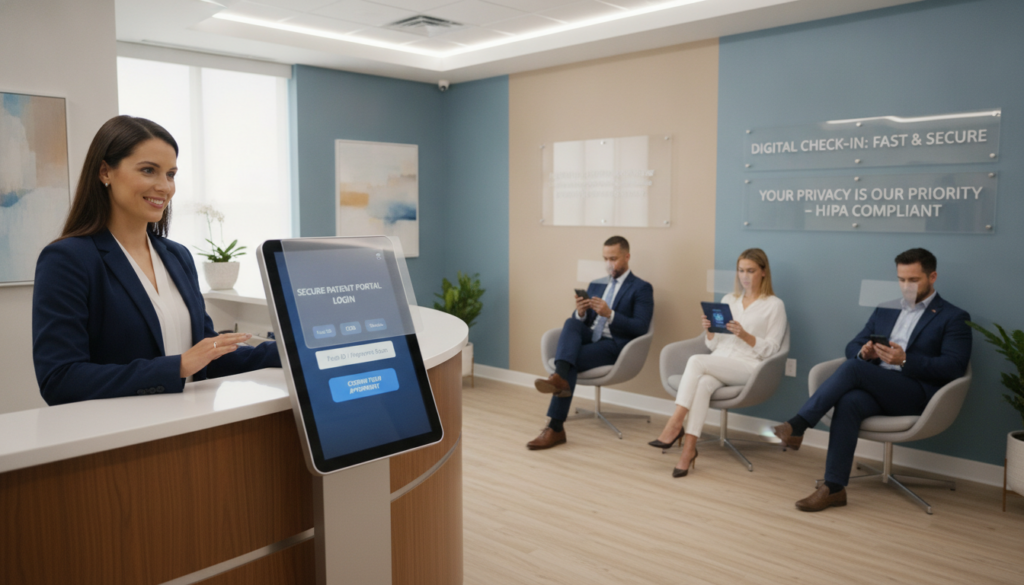
Building Competence Through Ongoing Education
One-time training is not enough. Your team needs ongoing education to stay compliant. New staff need thorough onboarding, and current staff need regular refreshers.
Plan training sessions for quarterly and yearly. Quarterly sessions should focus on specific topics like phishing or new system features. Yearly training should cover all compliance needs.
Make training engaging and relevant. Use real examples from your clinic. Show how staff actions affect patient privacy and security.
Keep detailed records of all training. Track who attended, quiz scores, and competency checks. This proves your compliance efforts during audits.
| Best Practice Activity | Frequency | Responsible Party | Key Deliverables |
|---|---|---|---|
| Privacy Policy Review | Annual + Triggered Updates | Compliance Officer | Updated policies, change logs, patient notifications |
| Staff Training Sessions | Quarterly Brief + Annual Comprehensive | IT Manager/HIPAA Officer | Training records, competency assessments, attendance logs |
| System Performance Monitoring | Daily Automated + Weekly Reviews | IT Department | Performance dashboards, security logs, incident reports |
| Security Risk Assessments | Annual + Post-Incident | Security Team | Risk analysis reports, mitigation plans, compliance certifications |
Tracking System Health and Security
Monitoring your system daily helps catch problems early. Your virtual check-in system gives valuable data on performance and security. Track uptime, check-in rates, error frequencies, and authentication failures.
Set baseline performance standards early on. Measure check-in times, identity verification rates, and system speeds. These baselines help spot anomalies that might show security or usability issues.
Build dashboards for real-time system health monitoring. Watch for failed login attempts and unusual access patterns. Regularly review audit logs to ensure all activity is legitimate.
Act quickly on monitoring alerts and performance drops. Investigate every security issue, even false alarms. Document your findings and any actions taken. This shows your dedication and helps improve monitoring over time.
Hold weekly meetings to discuss monitoring data and trends. Monthly reports should summarize key metrics for leaders. Annual assessments check if your monitoring captures current risks as your system evolves.
Case Studies: Successful Implementations
Learning from clinics that have already used virtual check-in can help you avoid common mistakes. Real healthcare organizations across different settings have tested these systems. They found out what works best.
These case studies show how different clinics used virtual check-in. You’ll see how orthopedic practices, pediatric clinics, and multi-specialty groups made it work for them. Their experiences can save you time and resources.
Notable Early Adopters
OrthoCarolina, a big orthopedic practice in North Carolina, started using virtual check-in in early 2020. They had a lot of people waiting in the lobby. After three months, wait times went from 18 minutes to 7 minutes.
Patients could fill out forms in their cars before going inside. This was really helpful during the pandemic. Staff saw a 40% reduction in front-desk bottlenecks during busy times.
Children’s Healthcare of Atlanta set up a virtual check-in for kids. Parents could update info and medical histories online. This made HIPAA patient registration easier by automatically filling in data for returning patients.
Parents were happier, with a 23 percentage point increase in satisfaction. They liked doing paperwork at home. The clinic used 78% less paper in the first year.
Summit Health, a big group in New Jersey, made their intake process the same for everyone. Different departments used different ways to get patient info. Now, patients have the same experience no matter where they go.
The team focused on making everything the same. Patients got the same treatment whether they were there for cardiology or dermatology. This made things easier for staff and helped new employees learn faster.
Lessons Learned from Implementation
Early adopters found out that training time was always underestimated. They thought 2-3 hours was enough, but it took 6-8 hours. Staff needed to practice with the system before they felt ready.
Training included role-playing to help staff get used to the system. This helped them answer questions from real patients. Clinics that rushed training had trouble getting staff to adopt the new system.
Integrating the system with existing records was key. Virtual check-in had to work with other systems. One urgent care network learned this the hard way when their data didn’t automatically go into their billing system.
Planning for patients who didn’t want to use technology was important. Every clinic found some patients who preferred the old way. Successful ones kept both options available.
- Offering in-person help for those struggling with technology
- Providing tablet stations for those without smartphones
- Training staff to help older adults with the digital process
- Keeping paper forms available as a backup
Many clinics found unexpected benefits. They got valuable insights from the data. They could see how long patients took to fill out forms and find out what was confusing.
Staff enjoyed their work more once they saw the benefits. They used to worry that technology would replace them. But it let them focus on more meaningful patient interactions.
Impact on Patient Satisfaction
Patient satisfaction went up a lot for all the early adopters. Scores for “time spent waiting” went up by 31% in six months. Patients liked being able to do paperwork on their own time.
Wait times got a lot better. Before, wait times were 15-25 minutes. After, they were 6-12 minutes for those who used virtual check-in.
| Clinic Type | Wait Time Before | Wait Time After | Satisfaction Increase |
|---|---|---|---|
| Orthopedic Practice | 18 minutes | 7 minutes | +28% |
| Pediatric Urgent Care | 22 minutes | 9 minutes | +35% |
| Multi-Specialty Group | 16 minutes | 8 minutes | +26% |
| Primary Care Network | 20 minutes | 10 minutes | +32% |
More people started using virtual check-in than expected. Clinics that explained the benefits well saw 60-75% adoption in three months.
Younger patients quickly adopted it, with 85-90% using it. Older adults took longer but eventually reached 40-50% adoption with support. Text reminders helped all ages.
Patients liked the convenience, time savings, and less chance of getting sick. Parents were happy to do paperwork at home while their kids stayed comfortable.
Surveys 12-18 months later showed satisfaction kept going up. The initial excitement didn’t fade. Patients expected virtual check-in and got upset if they had to use paper instead.
Net Promoter Scores went up by 18 points for clinics that did it right. Patients were more likely to recommend these places. This word-of-mouth helped them stand out in a crowded market.
Future Trends in Healthcare Check-Ins
Digital changes in healthcare are speeding up. Virtual check-ins will get smarter and more connected. The tech you pick now will grow a lot in the next few years. Knowing these trends helps you make smart choices for your clinic’s future.
The future of healthcare operations will be shaped by three big things. These are seamless telehealth integration, advanced security, and patient wants for easy digital access. Your secure digital check-in system must keep up with these changes while staying safe and following PHI compliance rules.
These trends bring both chances and challenges for clinic managers. You’ll need to balance new tech with safety, ease with rules, and practical use with tech adoption.
Telehealth Integration
Virtual check-ins are joining forces with telemedicine. This makes patient experiences smoother. Patients use one system for all visits, whether in person or online.
These systems handle everything from scheduling to follow-ups. Patients fill out forms and give consent in one place for all visits. This makes things clearer and easier for them.
The tech behind these systems keeps patient info safe. It uses strong encryption and security, no matter where patients check in. This makes it easier for your team to follow rules.
Hybrid care models benefit a lot from this mix. Many clinics now start with a virtual visit and then see patients in person. Your secure digital check-in system tracks patients through both steps without needing to enter the same info twice.
The platform’s continuity makes things easier for your IT team. You don’t have to manage different systems for online and in-person visits. This saves money and makes systems more reliable.
Advancements in Authentication Technology
Patient ID checks are getting better with new tech. Biometric methods like facial scans and voice checks are replacing old passwords. These make checking in faster and safer.
Biometric systems fix a big problem in healthcare: weak passwords. Patients can log in quickly without remembering hard passwords. The tech uses unique biological info that’s hard to steal.
Behavioral analytics are another new way to check who’s who. They look at how people type and use devices to make sure it’s really them. If someone tries to get into patient info with fake credentials, the system notices and asks for more proof.
Systems without passwords are becoming more popular in healthcare. Patients get codes on their phones or approve logins with their devices. This is easy for them and keeps their info safe.
Security and ease of use are getting better together. New tech makes it easier for real users while keeping fake ones out. Your digital check-in system will be both handy and secure.
| Authentication Method | Security Level | Patient Convenience | Implementation Complexity |
|---|---|---|---|
| Traditional Passwords | Low to Medium | Low (forgotten passwords) | Low |
| Biometric Verification | High | Very High | Medium |
| Behavioral Analytics | Very High | High (invisible to user) | High |
| Passwordless Systems | High | High | Medium |
Evolving Patient Expectations
Patients want digital services that are easy to use, like banking apps. This is changing how healthcare uses technology. Younger patients expect digital check-ins as standard, not extra.
Younger patients, like millennials and Gen Z, want mobile-first experiences. They get frustrated with paper forms and old ways. Your digital setup needs to be easy to use and mobile-friendly.
But, older patients might prefer traditional ways or need help with digital systems. Your plan should work for both tech-savvy and less tech-savvy patients.
Successful clinics offer many ways to check in that all lead to the same safe system. Patients can use tablets, mobile apps, or web check-ins. Staff is there to help those who need it.
Patients also want updates in real-time. They want to know when they’re checked in, how long they’ll wait, and when their doctor is ready. Your system needs to work with your practice software to do this.
Patients are also more worried about keeping their info safe. They want digital services that are safe and private. This means you need to be open about how you protect their data.
This mix of wanting ease and safety drives demand for clear security practices. Explain how you keep data safe and how you use it. Patients who understand your security feel more comfortable using digital check-ins.
The gap between what patients want and what tech can offer is getting smaller. As more clinics use advanced digital tools, patients start to see these as normal. Your tech choices today will help meet tomorrow’s patient needs.
Conclusion: Embracing Change for Better Healthcare
Your clinic is at a key moment in healthcare. Moving to digital patient engagement is more than just new tech. It’s a big change in how you care for patients while keeping their privacy safe.
Core Advantages for Your Practice
Virtual check-in makes your day-to-day better. It makes workflows smoother and patients happier. You cut down on wait times and keep patient data safe.
Your team can focus more on patients and less on paperwork. The security is strong, protecting health info well.
Taking the First Step Forward
Starting with HIPAA patient registration doesn’t need a big budget. Many clinics start small to show the benefits. Your current setup can likely work with new digital check-in systems.
Phased plans help spread costs over time. This way, you get benefits right away.
Building Tomorrow’s Patient Relationships
The steps you take today lay the groundwork for the future. Virtual systems open doors to more telehealth, monitoring, and personal care. Patients want easy access without losing privacy.
Secure digital check-in meets these needs. It sets your clinic up for future growth. You’ll lead in patient care, not just follow.
Choosing to use or improve virtual check-in changes your clinic’s future. The tech is here, the benefits are clear, and patients are eager.
FAQ
What makes a virtual check-in system HIPAA-compliant?
Can I use standard text messaging for patient check-in reminders?
How much does implementing a virtual check-in system typically cost?
What happens if our virtual check-in system experiences a data breach?
FAQ
What makes a virtual check-in system HIPAA-compliant?
A HIPAA-compliant virtual check-in system has many security features. It uses encrypted data and secure ways to verify patient identity. It also stores data securely and logs all access to patient info.
It must follow the HIPAA Privacy, Security, and Breach Notification Rules. Just having digital check-in isn’t enough. Your vendor must show they have the right security measures in place.
Can I use standard text messaging for patient check-in reminders?
No, standard SMS text messaging is not HIPAA-compliant. It lacks encryption and can be intercepted. It also doesn’t provide the needed authentication and access controls.
Use HIPAA-compliant messaging platforms instead. These platforms encrypt communications and require patient authentication. They also have features like automatic message expiration and delivery confirmation.
How much does implementing a virtual check-in system typically cost?
Virtual check-in system costs vary. They depend on your clinic size, patient volume, and desired features. You’ll usually see monthly subscription pricing from 0 to 0 or more.
Implementation costs include setup fees, staff training, and integration with your systems. These investments can save you money in the long run. They can reduce administrative labor, no-show rates, and paper costs.
What happens if our virtual check-in system experiences a data breach?
If your system experiences a data breach, you must follow HIPAA’s Breach Notification Rule. You need to notify affected patients within 60 days.
You also have to report to the Department of Health and Human Services. In cases affecting 500+ patients, you must notify media outlets. Breach penalties can be up to
FAQ
What makes a virtual check-in system HIPAA-compliant?
A HIPAA-compliant virtual check-in system has many security features. It uses encrypted data and secure ways to verify patient identity. It also stores data securely and logs all access to patient info.
It must follow the HIPAA Privacy, Security, and Breach Notification Rules. Just having digital check-in isn’t enough. Your vendor must show they have the right security measures in place.
Can I use standard text messaging for patient check-in reminders?
No, standard SMS text messaging is not HIPAA-compliant. It lacks encryption and can be intercepted. It also doesn’t provide the needed authentication and access controls.
Use HIPAA-compliant messaging platforms instead. These platforms encrypt communications and require patient authentication. They also have features like automatic message expiration and delivery confirmation.
How much does implementing a virtual check-in system typically cost?
Virtual check-in system costs vary. They depend on your clinic size, patient volume, and desired features. You’ll usually see monthly subscription pricing from $100 to $500 or more.
Implementation costs include setup fees, staff training, and integration with your systems. These investments can save you money in the long run. They can reduce administrative labor, no-show rates, and paper costs.
What happens if our virtual check-in system experiences a data breach?
If your system experiences a data breach, you must follow HIPAA’s Breach Notification Rule. You need to notify affected patients within 60 days.
You also have to report to the Department of Health and Human Services. In cases affecting 500+ patients, you must notify media outlets. Breach penalties can be up to $1.5 million per violation.
How do we handle patients who prefer traditional paper check-in?
Offer alternative options for patients who prefer paper check-in. Train your staff to support both methods. Provide education on the privacy and convenience of digital check-in.
Consider demographic factors. Some patients may need paper options. But many will adopt digital check-in once they see its benefits.
Do virtual check-in systems work with our existing practice management software?
Most virtual check-in platforms integrate with popular systems. Ask about integration with your existing software. Check if the connection is bidirectional and what information syncs automatically.
Integration complexity and cost vary. Clarify these details before committing. If direct integration isn’t available, assess if manual workflows are manageable.
What training do staff members need for virtual check-in systems?
Your staff needs training on technical operation and compliance. Include how to guide patients, troubleshoot issues, and manage the system. Designate super-users for advanced training.
Provide regular refresher training. Document all training with attendance records and competency assessments. Remember, ongoing education is essential.
How do we verify that someone checking in digitally is actually our patient?
Use multi-factor authentication for patient verification. This includes sending codes to phones or emails, requiring passwords, and using biometric authentication. Verify identity in person for initial registration.
Lock accounts after multiple failed attempts. Alert staff to unauthorized access. Verify patient identity before they can view or update health information.
Can virtual check-in reduce our clinic’s no-show rates?
Yes, virtual check-in systems can reduce no-show rates. They send reminders and create psychological commitment. Some systems allow easy rescheduling.
Real-time check-in data gives early warnings for forgotten appointments. Studies show a 10-30% reduction in no-shows. This can save a lot of money and improve schedule efficiency.
What should we look for in a business associate agreement with our virtual check-in vendor?
Your BAA with the vendor is critical. It defines how the vendor will protect PHI. The agreement should include security measures, use and disclosure rules, breach reporting, and return or destruction of PHI.
Review the BAA carefully. Vague language or missing provisions can leave you liable. Reputable vendors provide detailed BAAs and explain their security practices.
How long should we retain digital check-in records and patient information?
Your retention requirements follow medical record laws. Most states require 5-10 years for adult records and longer for pediatric records. HIPAA requires maintaining policies and procedures for six years.
Your system should support your retention schedule. Ensure your vendor can securely store data and provide compliant disposal methods. Never delete patient information prematurely.
What happens if our internet connection goes down during patient check-in?
Have backup procedures for technology failures. Use paper intake forms temporarily, mobile hotspots, or backup connections. Collect essential information verbally and document it later.
Train staff on these procedures. After connectivity restores, enter the collected information while maintaining PHI compliance. Consider system architecture during vendor selection.
Can virtual check-in systems accommodate patients with disabilities?
Yes, HIPAA-compliant systems should be accessible. Look for features like screen reader compatibility, adjustable text sizes, and voice input. The ADA requires accessibility in digital tools.
Ask vendors about accessibility features and demonstrate how patients with disabilities can use the system. Train staff to assist without compromising privacy. Accessibility is essential for equitable care.
How do we measure the success of our virtual check-in implementation?
Establish clear metrics before implementation. Track adoption rate, check-in time, patient satisfaction, staff time, waiting room congestion, data accuracy, no-show rates, and throughput. Collect baseline measurements before starting.
Track these metrics monthly for the first six months and quarterly after. Survey patients and staff about their experiences. Calculate return on investment by comparing costs against savings in staff time, reduced no-shows, and improved throughput.
Should we allow patients to update their insurance information through virtual check-in?
Yes, allowing patients to update insurance information is beneficial. It reduces front desk workload and ensures current information for eligibility verification and billing. Your workflows must include staff verification of insurance updates before filing claims.
Train staff to review uploaded insurance cards and verify coverage. Your system should maintain audit trails for PHI compliance. Insurance updates improve data accuracy and streamline your revenue cycle processes.
.5 million per violation.
How do we handle patients who prefer traditional paper check-in?
Offer alternative options for patients who prefer paper check-in. Train your staff to support both methods. Provide education on the privacy and convenience of digital check-in.
Consider demographic factors. Some patients may need paper options. But many will adopt digital check-in once they see its benefits.
Do virtual check-in systems work with our existing practice management software?
Most virtual check-in platforms integrate with popular systems. Ask about integration with your existing software. Check if the connection is bidirectional and what information syncs automatically.
Integration complexity and cost vary. Clarify these details before committing. If direct integration isn’t available, assess if manual workflows are manageable.
What training do staff members need for virtual check-in systems?
Your staff needs training on technical operation and compliance. Include how to guide patients, troubleshoot issues, and manage the system. Designate super-users for advanced training.
Provide regular refresher training. Document all training with attendance records and competency assessments. Remember, ongoing education is essential.
How do we verify that someone checking in digitally is actually our patient?
Use multi-factor authentication for patient verification. This includes sending codes to phones or emails, requiring passwords, and using biometric authentication. Verify identity in person for initial registration.
Lock accounts after multiple failed attempts. Alert staff to unauthorized access. Verify patient identity before they can view or update health information.
Can virtual check-in reduce our clinic’s no-show rates?
Yes, virtual check-in systems can reduce no-show rates. They send reminders and create psychological commitment. Some systems allow easy rescheduling.
Real-time check-in data gives early warnings for forgotten appointments. Studies show a 10-30% reduction in no-shows. This can save a lot of money and improve schedule efficiency.
What should we look for in a business associate agreement with our virtual check-in vendor?
Your BAA with the vendor is critical. It defines how the vendor will protect PHI. The agreement should include security measures, use and disclosure rules, breach reporting, and return or destruction of PHI.
Review the BAA carefully. Vague language or missing provisions can leave you liable. Reputable vendors provide detailed BAAs and explain their security practices.
How long should we retain digital check-in records and patient information?
Your retention requirements follow medical record laws. Most states require 5-10 years for adult records and longer for pediatric records. HIPAA requires maintaining policies and procedures for six years.
Your system should support your retention schedule. Ensure your vendor can securely store data and provide compliant disposal methods. Never delete patient information prematurely.
What happens if our internet connection goes down during patient check-in?
Have backup procedures for technology failures. Use paper intake forms temporarily, mobile hotspots, or backup connections. Collect essential information verbally and document it later.
Train staff on these procedures. After connectivity restores, enter the collected information while maintaining PHI compliance. Consider system architecture during vendor selection.
Can virtual check-in systems accommodate patients with disabilities?
Yes, HIPAA-compliant systems should be accessible. Look for features like screen reader compatibility, adjustable text sizes, and voice input. The ADA requires accessibility in digital tools.
Ask vendors about accessibility features and demonstrate how patients with disabilities can use the system. Train staff to assist without compromising privacy. Accessibility is essential for equitable care.
How do we measure the success of our virtual check-in implementation?
Establish clear metrics before implementation. Track adoption rate, check-in time, patient satisfaction, staff time, waiting room congestion, data accuracy, no-show rates, and throughput. Collect baseline measurements before starting.
Track these metrics monthly for the first six months and quarterly after. Survey patients and staff about their experiences. Calculate return on investment by comparing costs against savings in staff time, reduced no-shows, and improved throughput.
Should we allow patients to update their insurance information through virtual check-in?
Yes, allowing patients to update insurance information is beneficial. It reduces front desk workload and ensures current information for eligibility verification and billing. Your workflows must include staff verification of insurance updates before filing claims.
Train staff to review uploaded insurance cards and verify coverage. Your system should maintain audit trails for PHI compliance. Insurance updates improve data accuracy and streamline your revenue cycle processes.


